
How to Automate Document Workflow for High-Accuracy RAG
Learn to automate document workflow for superior Retrieval-Augmented Generation. This guide covers ingestion, chunking, and metadata for high-performing RAG.
To automate document workflow is to build a systematic, repeatable pipeline that transforms raw documents into clean, structured data primed for Retrieval-Augmented Generation (RAG).
This isn't just about speed; it's about engineering quality at the source. The goal is to convert messy, unstructured data into context-aware, traceable assets that a high-performance RAG system can rely on for accurate retrieval. A well-automated workflow eliminates the manual, error-prone preprocessing that compromises retrieval quality and sinks AI projects.
Why Automating Your Document Workflow Is a Game Changer for Retrieval
Let's be real for a second. Building a truly great RAG system often feels less like engineering and more like a constant battle against bad data. Mangled PDFs, lost connections between paragraphs, and wildly inconsistent document structures are the headaches that keep AI engineers up at night.
These aren't just minor annoyances; they directly torpedo your retrieval accuracy. When the data is a mess, the Large Language Model (LLM) gets confused and spits out irrelevant, incomplete, or just plain wrong answers.
Automating your document workflow is the single most impactful thing you can do to fix this. It forces consistency, creating an end-to-end pipeline where every document gets processed the same way, preserving the vital context your LLM desperately needs.
The Core Stages of an Automated Workflow
A solid workflow is more than just yanking text out of a file. It covers the entire data preparation lifecycle, which we can break down into four key stages:
- Ingestion: This is about reliably extracting text and structural elements from various formats (PDFs, Markdown) while preserving context from tables and layouts.
- Chunking: Strategically splitting documents into smaller, meaningful pieces. The goal is to create chunks that are semantically complete and optimized for vector search.
- Enrichment: Adding layers of metadata, summaries, and keywords to each chunk. This makes them far more discoverable and enables powerful hybrid search strategies.
- Vectorization: Converting the processed, enriched chunks into numerical representations (embeddings) for storage and search in a vector database.
The endgame is simple: give your LLM clean, structured, and context-aware data. If you can master each stage of this automated workflow, you're on your way to building a RAG system that actually works and produces results you can trust.
The Growing Need for Automation
The market is screaming for this. The global document automation software market is on track to hit an incredible USD 37.24 billion by 2035, a huge leap from where it was in 2026.
What's driving this? Enterprises are desperate to escape the manual grind, where document handling can chew up nearly 40% of an employee's time. For those of us building RAG systems, this just underscores how critical it is to have tools that can turn a mountain of raw documents into retrieval-ready assets without human intervention.
To get automation right, you need to know what tools are out there. A good starting point is exploring the best document automation software platforms to see how different solutions tackle these bottlenecks.
Building a Reliable Document Ingestion Pipeline
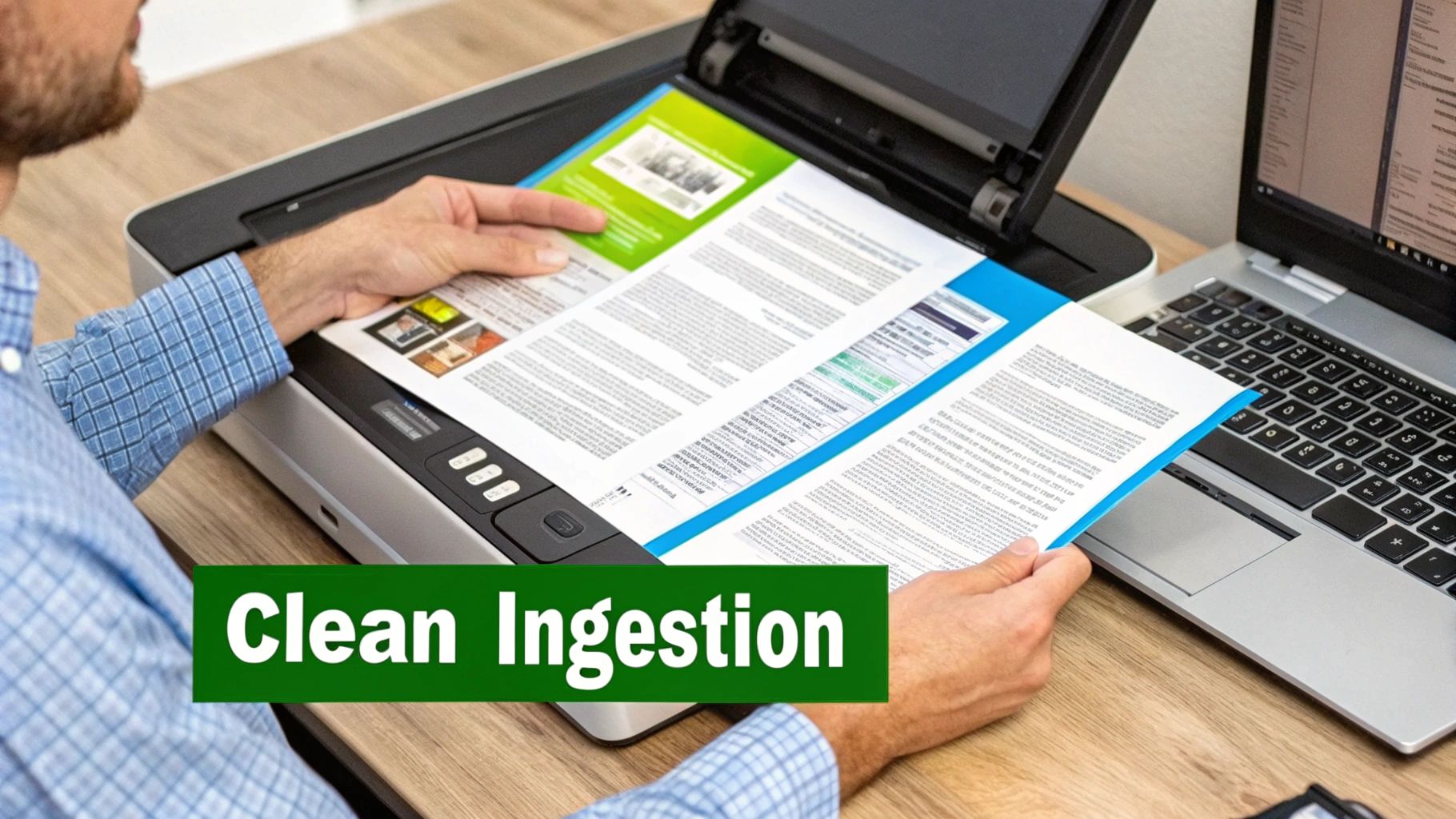
The quality of your RAG system comes down to the quality of the data you feed it. It all starts with a rock-solid ingestion pipeline. This is the frontline where the messy, unpredictable reality of raw documents meets your clean, structured workflow. We're talking about the nitty-gritty work of pulling clean, usable text from sources that were never meant for a machine to read.
This first step is so much more than a simple PDF-to-text conversion. It’s a battle to preserve the document's original structure and meaning. If your ingestion process butchers a table or misreads a multi-column layout, that single error will cascade all the way down to your LLM, leading to garbage-in, garbage-out responses. A smart plan to automate document workflow has to account for these real-world headaches from day one.
Preserving Structural Integrity During Extraction
The single biggest challenge? Maintaining context. A paragraph's meaning can flip entirely depending on the heading it's under or the table it's sitting next to. A naive text extraction script will just strip all of that away, leaving you with a flat wall of text that's lost all its relational integrity.
This is a deal-breaker for documents like:
- Financial Reports: The tables and charts are the whole point. Scrambled rows and columns make the data completely worthless.
- Technical Manuals: Hierarchical headings and diagrams give the content its structure. Lose that, and the manual becomes incomprehensible.
- Scanned Invoices: These are often a messy mix of text and images, demanding Optical Character Recognition (OCR) that can intelligently pull data from specific fields, not just dump all the text.
Here's the core principle of a good ingestion pipeline: never lose the connection back to the source. Every single piece of extracted data must be traceable to its exact location in the original document. Without this, you can't verify information, and you can't build a trustworthy AI system.
The Role of Visual Parsing and Traceability
To get around these problems, a visual approach to document parsing is a game-changer. Instead of just running a script and hoping for the best, tools like ChunkForge actually let you see how the text is being extracted and mapped. This visual overlay allows you to instantly confirm that columns are being read in the right order and that table data is staying intact.
This traceability isn't just a "nice-to-have" feature; it's absolutely fundamental. By keeping a clear link between the extracted text and its source page and coordinates, you lay the groundwork for accurate chunking and enrichment down the line. If you want to dig deeper into the mechanics of setting up this kind of system, check out this excellent guide on how to build a data pipeline.
Ultimately, a reliable ingestion process is your first and best line of defense against poor RAG performance. By focusing on keeping the structural integrity and source traceability of your documents, you ensure the data flowing into your system is clean, context-aware, and ready for what comes next. For more on the basics, see our guide explaining what is data parsing.
Choosing the Right Document Chunking Strategy
How you chunk your documents is where most RAG pipelines either succeed or fail spectacularly. If you’re still using simplistic, fixed-size splitting, you're building on a shaky foundation. The key is to pick a strategy that respects the document's natural structure. Otherwise, you end up with fragmented, nonsensical chunks that poison your retrieval results.
The goal isn't just to chop up a document; it's to create self-contained, contextually complete units of information. A bad split can sever a cause from its effect, a question from its answer, or a claim from its evidence. When that happens, your vector search will retrieve incomplete ideas, leading your LLM to generate answers that are confusing or just plain wrong.
Matching the Strategy to Your Document Type
There’s no magic bullet here. The right chunking strategy depends entirely on your source material. A technical manual and a legal contract demand fundamentally different approaches to keep their meaning intact.
Here’s a practical look at the most effective strategies and when I’ve found them to be most useful:
-
Paragraph-Based Chunking: This is your go-to for prose-heavy documents like articles, reports, or books. It’s a huge step up from fixed-size splitting because it respects natural semantic boundaries and rarely cuts a sentence in half. Simple, but effective.
-
Heading-Based Chunking: For structured documents—think technical manuals, API documentation, or internal wikis—this method is perfect. It uses the document's hierarchy (H1, H2, H3) to create chunks, preserving the nested context and ensuring a subsection stays logically tied to its parent heading.
-
Semantic Chunking: This is a more advanced approach that uses embedding models to group text based on conceptual similarity, not just where it sits on the page. It's incredibly powerful for dense, complex documents like legal contracts or research papers where related ideas might be scattered. For instance, it can group all clauses related to "liability," even if they aren't next to each other.
Your chunking strategy is an active architectural decision. Choosing the wrong one is like trying to assemble furniture with instructions that have been put through a paper shredder. The pieces are all there, but the relationships between them are completely lost.
Here's a quick cheat sheet I use when deciding on a strategy for a new project.
Choosing the Right Chunking Strategy for Your Documents
| Chunking Strategy | Best For | Pros | Cons |
|---|---|---|---|
| Paragraph-Based | Articles, blogs, reports, general prose | Simple, fast, and respects natural sentence flow. Great starting point. | Paragraphs can be too long or too short, leading to inconsistent chunk sizes. |
| Heading-Based | Technical manuals, API docs, wikis, structured reports | Preserves the document's logical hierarchy and context. Highly predictable. | Relies on well-structured source documents; ineffective without clear headings. |
| Semantic Chunking | Legal contracts, research papers, dense technical content | Groups text by meaning, not just location. Captures scattered but related concepts. | Computationally more expensive and slower. Requires careful tuning of similarity thresholds. |
Ultimately, the best strategy is the one that produces the most coherent, self-contained chunks from your specific documents.
Fine-Tuning Chunk Size and Overlap
Once you've picked a primary strategy, it's time to fine-tune the parameters. Think of chunk size, window size, and overlap as the dials you turn to get the right balance between context and granularity.
A smaller chunk size delivers more granular, specific results but you risk losing the bigger picture. A larger chunk size captures more context but can introduce noise and dilute the core topic of the chunk, making it less precise for retrieval.
Overlap is your safety net. By having adjacent chunks share a little text (maybe a sentence or two), you reduce the chance of a hard cutoff between related ideas. For example, if a key concept is introduced at the very end of one chunk, overlap ensures the next chunk also contains it, creating a nice contextual bridge.
This is where visual tools like ChunkForge become essential. They let you preview splits in real-time and literally drag and drop to fix bad boundaries before they ever make it to your vector database.
For a deeper dive into these techniques, check out this guide on advanced chunking strategies for RAG and how they impact retrieval performance. At the end of the day, the best setup is always found through iteration—test different configurations on your documents, visually inspect the output, and see what makes the most logical sense.
Supercharging Retrieval with Metadata and Summaries
Once your documents are intelligently chunked, the real magic begins. Getting your content into the right shape is just step one, but enrichment is what makes each piece truly smart and discoverable.
If you’re serious about building a high-performing RAG system, this is a non-negotiable step. Just chunking and embedding text is leaving a ton of retrieval potential on the table.
Enrichment is all about layering contextual information—what we call metadata—onto each chunk before it ever hits a vector database. This moves you beyond just relying on semantic similarity, which, let's be honest, can sometimes be a fuzzy signal. With rich metadata, you unlock the power of hybrid search. You get the "what it's about" from vector search, combined with the "what it is" from precise, structured filtering.
This flowchart shows how picking the right chunking strategy is your first move toward creating meaningful, context-rich segments that are ready for this kind of enrichment.
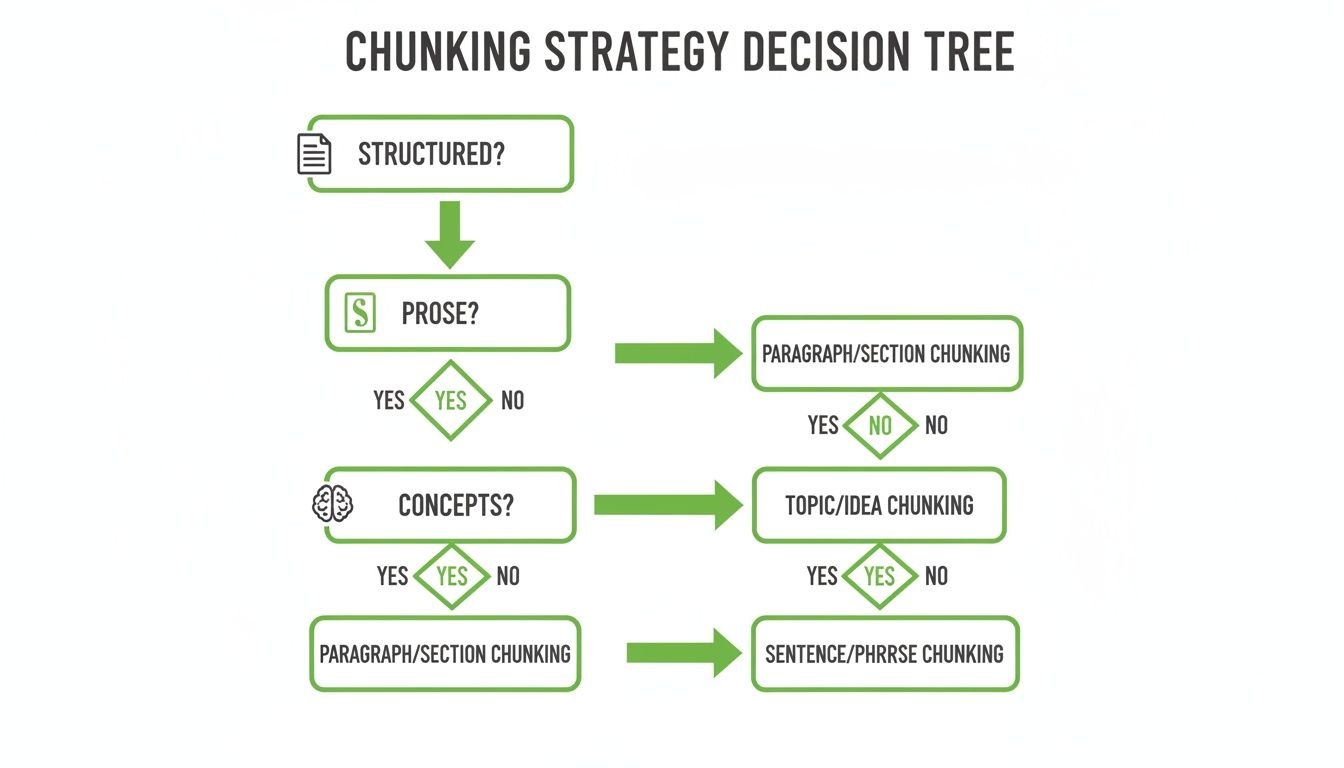
As you can see, the document type really dictates your initial strategy. This sets the stage for adding specific metadata that makes each chunk uniquely identifiable and far more useful down the line.
Practical Techniques for Smart Enrichment
Adding metadata shouldn't be a manual chore; it's a key part of an automated pipeline. Modern tools can generate valuable metadata layers on the fly, turning generic text blocks into powerful, structured data objects.
Here are a few essential techniques I always recommend:
- Automated Summaries: Generate a concise, one-sentence summary for every single chunk. This summary can be embedded right alongside the main content, giving your retrieval system a condensed version of the chunk’s core idea. I've found this often improves relevance matching dramatically.
- Keyword Extraction: Automatically pull out the most important terms and entities from each chunk. These are perfect for old-school keyword filtering, letting users narrow their searches to chunks that explicitly mention a specific product, person, or concept.
- Structured JSON Tags: This is where you can add deep, domain-specific context. For example, you could tag legal document chunks with something like
{"jurisdiction": "California", "clause_type": "indemnification"}. This allows for incredibly precise filtering that semantic search alone could never pull off.
Why Metadata Is a Game Changer for RAG
Imagine you're processing thousands of compliance documents. With metadata, you can instantly filter for every chunk related to "data privacy" that applies to the "EU" and was published after "2022." This kind of precision is flat-out impossible without structured tags.
It stops the LLM from retrieving irrelevant, vaguely similar information and seriously improves the accuracy of its final answers.
Metadata transforms your document chunks from simple bags of words into structured, queryable assets. It’s the difference between asking your RAG system to find a needle in a haystack and giving it a magnet.
This is especially critical in high-stakes environments. Take the legal sector, for instance. The market for AI automation is projected to grow by USD 2.25 billion between 2025 and 2029. Manually reviewing contracts eats up 20-30% of a firm's billable hours. By automating the preprocessing of contracts into traceable, metadata-rich segments, firms can boost LLM accuracy in tasks like clause extraction by as much as 40%. You can check out more of these findings on AI in legal document automation to see the impact.
Enriching chunks with this level of detail is a foundational step. You can learn more about how this enriched data serves as the backbone when you build a powerful knowledge base for your AI. By embedding not just the text but also its context, you give your retrieval system every possible advantage to succeed.
Integrating Your Processed Data into the RAG Pipeline
<iframe width="100%" style="aspect-ratio: 16 / 9;" src="https://www.youtube.com/embed/MykcjWPJ6T4" frameborder="0" allow="autoplay; encrypted-media" allowfullscreen></iframe>So, you've done all the hard work. You've ingested, cleaned, chunked, and enriched your documents. Now for the payoff: getting that high-quality, context-aware data into your live RAG application where it can start delivering real value. This is the moment your prep work transforms into tangible performance gains.
The final step is to move this clean data into a vector database to be indexed and made ready for retrieval. Think of this as the critical handoff from your processing environment to your live system. You need a reliable way to export your chunks—complete with all their rich metadata—into a format that vector DBs like Pinecone, Weaviate, or Chroma can understand. This is the final link in the chain to automate your document workflow.
Exporting and Indexing Your Chunks
The most common way to handle this handoff is with JSON or JSONL (JSON Lines). Each line or object in the file represents a single, complete chunk, neatly packaging its text content alongside all its valuable metadata—summaries, keywords, source page, and any custom tags you’ve added.
Tools like ChunkForge, for instance, let you export your entire processed dataset with a single click, generating a file that’s ready for immediate indexing. From there, it's just a matter of running a simple script to load the data and push it into your vector database.
Here’s a conceptual Python snippet that shows how you might load that exported data and index it into a Pinecone index:
import json
from pinecone import Pinecone
from sentence_transformers import SentenceTransformer

# 1. Initialize your connections
pc = Pinecone(api_key="YOUR_API_KEY")
index = pc.Index("document-rag-index")
model = SentenceTransformer('all-MiniLM-L6-v2') # Or your preferred embedding model

# 2. Load the JSONL data you exported
with open('exported_chunks.jsonl', 'r') as f:
    documents = [json.loads(line) for line in f]

# 3. Prepare your data for upserting
vectors_to_upsert = []
for doc in documents:
    # First, generate the embedding for the chunk's content
    embedding = model.encode(doc['content']).tolist()

    # Now, structure the data with the vector and all its metadata
    vectors_to_upsert.append({
        "id": doc['chunk_id'],
        "values": embedding,
        "metadata": {
            "summary": doc['summary'],
            "source_page": doc['source_page'],
            "keywords": doc.get('keywords', [])
            # This is where you'd add any other custom metadata
        }
    })

# 4. Finally, upsert the data into Pinecone in batches
index.upsert(vectors=vectors_to_upsert, batch_size=100)

print(f"Successfully indexed {len(documents)} chunks.")
This script is the final piece of the puzzle, moving your perfectly prepared data from a tool like ChunkForge directly into your RAG pipeline’s knowledge source.
The real magic here is the metadata. Storing summaries and keywords right alongside the vector unlocks sophisticated hybrid search. You can filter by metadata before running a semantic search, which dramatically improves both retrieval accuracy and speed.
The Document AI market is exploding, projected to grow from USD 14.66 billion in 2025 to USD 27.62 billion by 2030. A huge piece of that is Intelligent Document Processing (IDP), which has been shown to slash processing times by 50-70%. This growth underscores just how critical it is to get this integration right—turning unstructured documents into structured, queryable assets for your AI systems. You can find more insights on the growth of Document AI on marketsandmarkets.com.
SaaS vs. Self-Hosted Deployment
The last thing to consider is where this whole processing pipeline will live. Your decision ultimately boils down to a classic trade-off: convenience versus control.
-
Managed SaaS Solution: This is the zero-maintenance, "just works" option. It's instantly scalable and ideal for teams that want to move fast without getting bogged down in infrastructure management.
-
Self-Hosted Docker Deployment: This option gives you complete control and data privacy. For organizations handling sensitive documents or facing strict compliance requirements, running the entire pipeline inside your own VPC isn't just a preference—it's a necessity. Tools like ChunkForge offer an open-source Docker image for exactly this scenario.
Choosing the right deployment model ensures your workflow not only runs smoothly but also aligns perfectly with your organization's security and operational needs.
Common Questions on Document Workflow Automation
As more engineers get their hands dirty building RAG systems, the same questions tend to pop up. Getting these right from the start can save you a ton of headaches and costly rework later on. Here are some quick, practical answers to reinforce what it takes to build a solid document workflow pipeline.
What Is the Biggest Mistake to Avoid
The most common trap I see is teams obsessing over the chunking algorithm while completely forgetting about metadata and source traceability. A slick chunking strategy is a great starting point, but it's only half the battle.
Without rich metadata—like summaries, keywords, or structural tags—you’re flying blind. Your ability to filter and retrieve with any kind of precision gets thrown out the window.
Forgetting traceability is just as bad. When your system spits out an answer, you need to be able to trace it back to the exact spot in the original PDF. This is what builds trust. It lets users—and your own team—verify the AI’s work. A system that can’t do this is just a black box, and that’s a non-starter for any serious application.
A tool that combines visual chunking with deep metadata enrichment isn't a luxury; it's essential for building a robust and trustworthy system. It addresses both of these critical areas simultaneously.
How Do I Choose Between Chunking Strategies
There’s no silver bullet here. The right strategy comes down to your document's structure and what you're trying to pull out of it. It’s all about matching the tool to the job.
- Fixed-Size Chunking: Honestly, use this as a last resort. It's really only for completely unstructured text blobs where you have no other patterns to work with.
- Paragraph-Based Chunking: This is your go-to for prose-heavy documents like articles, reports, or books. It naturally respects the author's semantic breaks.
- Heading-Based Chunking: If you're working with structured docs like technical manuals or API references, this is a far better choice. It keeps the document’s hierarchy intact.
- Semantic Chunking: This is a more advanced but powerful option for dense material like legal contracts, where you need to group conceptually related ideas together, even if they're paragraphs apart.
The only way to know for sure is to experiment. Find a tool that lets you visually preview how each strategy carves up your actual documents. Seeing the results is far more effective than just guessing.
Is Self-Hosted Better Than a Cloud Solution
This really boils down to your team's priorities. A cloud-based SaaS solution gets you up and running fast. It offers convenience, scalability, and zero maintenance, which is perfect for teams that need to focus on building the product, not managing servers.
On the other hand, a self-hosted option gives you total control and data privacy. For organizations in healthcare, finance, or any field with sensitive documents and strict compliance rules, this is often non-negotiable. It gives you more room for customization, but it also means your team is on the hook for managing all the infrastructure.
Take a hard look at your needs around security, budget, and engineering bandwidth before you make the call.
Ready to build a flawless RAG pipeline with clean, traceable, and context-rich data? ChunkForge provides the visual tools and deep enrichment capabilities you need to automate your document workflow from start to finish. Start your free trial today and see the difference for yourself.