
Elasticsearch Create Index: Optimizing for Retrieval in RAG Systems
elasticsearch create index: Learn the best mappings, settings, and vector search configs to build fast, scalable AI and RAG pipelines.
Creating an Elasticsearch index is the foundational step for any search application, often a simple PUT request. But when you're building a Retrieval-Augmented Generation (RAG) system, how you create that index dictates whether you get a brilliant AI or a frustrating one.
A well-designed index is not just a data container; it's a finely-tuned retrieval engine, optimized from the ground up to provide the most relevant context for your Large Language Model (LLM). This initial setup is where retrieval performance is won or lost.
Building the Foundation for RAG Retrieval

When you create an Elasticsearch index, you define the blueprint for how your data is stored, analyzed, and ultimately retrieved for the LLM. For AI engineers building RAG systems, this blueprint is the most critical element for retrieval accuracy.
Simply indexing raw documents and hoping for the best is a recipe for poor retrieval. Actionable RAG performance comes from strategic decisions about data structures—decisions that directly impact the relevance of the context fed to the LLM, and thus, the quality of its final response.
The mission is to transform raw documents into a structured, highly searchable knowledge base that supports both semantic vector search and precise metadata filtering.
Core Objectives for a RAG Index
A high-quality index built for RAG must excel at several key tasks to give an LLM the best possible context for generation. Your success boils down to how well you can:
- Maximize Retrieval Relevance: The index must be structured to surface the most semantically relevant information using vector embeddings. This is the cornerstone of effective RAG.
- Enable Precise Filtering: Rich metadata is non-negotiable. It allows the system to drastically reduce the search space before running computationally expensive vector similarity searches, improving speed, relevance, and cost-efficiency.
- Ensure Scalability and Performance: The design must handle growing datasets and high query loads without performance degradation. A slow retrieval step cripples the entire RAG pipeline.
The quality of a RAG system's output is directly proportional to the quality of its retrieval step. A poorly designed index will consistently feed irrelevant context to the LLM, resulting in inaccurate or nonsensical answers, no matter how powerful the model is.
Ultimately, a thoughtfully created index turns your documents from a liability into your most powerful knowledge base.
This is why tools like ChunkForge are so critical; they prepare your documents by creating context-rich chunks with deep metadata. But it’s the Elasticsearch index that makes all that prepared data truly shine. If you want to dive deeper into the mechanics, you can learn more about Retrieval-Augmented Generation in our detailed guide.
Defining Your Index Schema with Mappings and Settings

When you create an Elasticsearch index, you're building the retrieval logic into its very structure. This happens through mappings and settings—the two pillars of your index schema.
Think of mappings as explicit instructions on how to treat each field for optimal search, while settings control the overall behavior and performance of the index.
Getting this schema right is absolutely critical for a high-performing RAG system. A sloppy schema leads to poor retrieval, slow performance, and an LLM that generates weak, unhelpful answers. To nail this, having a good grasp of data modeling techniques is a huge advantage in structuring your data for peak performance.
Mapping Your RAG Data Fields
For any RAG use case, your mapping must gracefully handle three key data types: vector embeddings, the raw text, and the metadata used for filtering. Each needs the right data type to maximize its contribution to retrieval.
- For Vector Embeddings: The
dense_vectorfield is the heart of your RAG index's semantic retrieval capability. You must define itsdims(dimensions) to exactly match your embedding model's output—for example, 768 is a common dimension for manysentence-transformermodels. - For Raw Text: The
textfield type is used for the actual content of your document chunks. This field is what enables keyword-based retrieval, as Elasticsearch runs the content through an analysis process to make it searchable. - For Metadata: Use the
keywordtype for categorical or exact-match data like document IDs, filenames, or author names. Unliketextfields,keywordfields aren't analyzed, making them perfect for lightning-fast filtering, aggregations, and sorting.
Here’s a practical breakdown of how these field types enable superior RAG retrieval.
| Field Type | Purpose in RAG | Actionable Insight for Retrieval |
|---|---|---|
dense_vector | Stores numerical embeddings for semantic search. | Enables finding conceptually similar content even if keywords don't match. |
text | Holds the searchable raw text of a document chunk. | Essential for finding specific terms, product codes, or exact quotes. |
keyword | Stores exact-value metadata for filtering. | Allows pre-filtering the search space, e.g., "search only in documents from Q4 2023." |
This hybrid structure lets you execute powerful retrieval strategies. You can first slice through a massive dataset with precise keyword filters (pre-filtering) and then run the more intensive vector search on that much smaller, highly relevant subset (post-filtering). This significantly improves both speed and accuracy.
Optimizing Text Analysis with Custom Settings
While mappings define what your data is, index settings define how Elasticsearch processes it for retrieval. The settings block in your create index request lets you build custom analyzers that control how text fields are tokenized and indexed.
A standard analyzer might strip out common English "stop words" like "the," "a," and "is." But what if those words are significant in your technical documents? A custom analyzer lets you define your own rules to improve keyword search relevance.
"settings": { "analysis": { "analyzer": { "custom_english_analyzer": { "type": "custom", "tokenizer": "standard", "filter": [ "lowercase", "english_stop_filter", "english_stemmer" ] } }, "filter": { "english_stop_filter": { "type": "stop", "stopwords": "english" }, "english_stemmer": { "type": "stemmer", "language": "english" } } } }
This ensures your text chunks are consistently processed, which seriously boosts the quality of keyword retrieval alongside your vector search.
Fine-Tuning the Dense Vector Field
The dense_vector field has its own critical options for retrieval. The similarity metric you choose—cosine, dot_product, or l2_norm—should align with how your embedding model was trained. Most modern models are optimized for cosine similarity, which measures the angle between vectors and is an excellent proxy for semantic relevance.
A non-negotiable optimization is setting
"index": truefor yourdense_vectorfield. This tells Elasticsearch to build an Approximate Nearest Neighbor (ANN) index, which is what makes vector search blazingly fast on large datasets. Without it, Elasticsearch defaults to a brute-force scan of every single vector—a process far too slow for any serious RAG system.
Fortunately, performance keeps getting better. In January 2026, Elastic rolled out a huge optimization for newly created Elasticsearch indices by no longer storing vectors in the _source field by default. This change dramatically cuts down on storage and speeds up indexing.
This is especially important for AI engineers building RAG pipelines, like those using ChunkForge to turn PDFs into vector-ready chunks. In the past, storing dense vector embeddings alongside the source data would bloat index sizes, often by 30-50%, leading to higher costs.
With this update, benchmarks are showing up to a 40% reduction in disk usage for vector-heavy indices and an indexing throughput jump of 25-35%. This shift makes building large-scale RAG systems more accessible and cost-effective than ever before.
Designing for Scale with Shards and Replicas
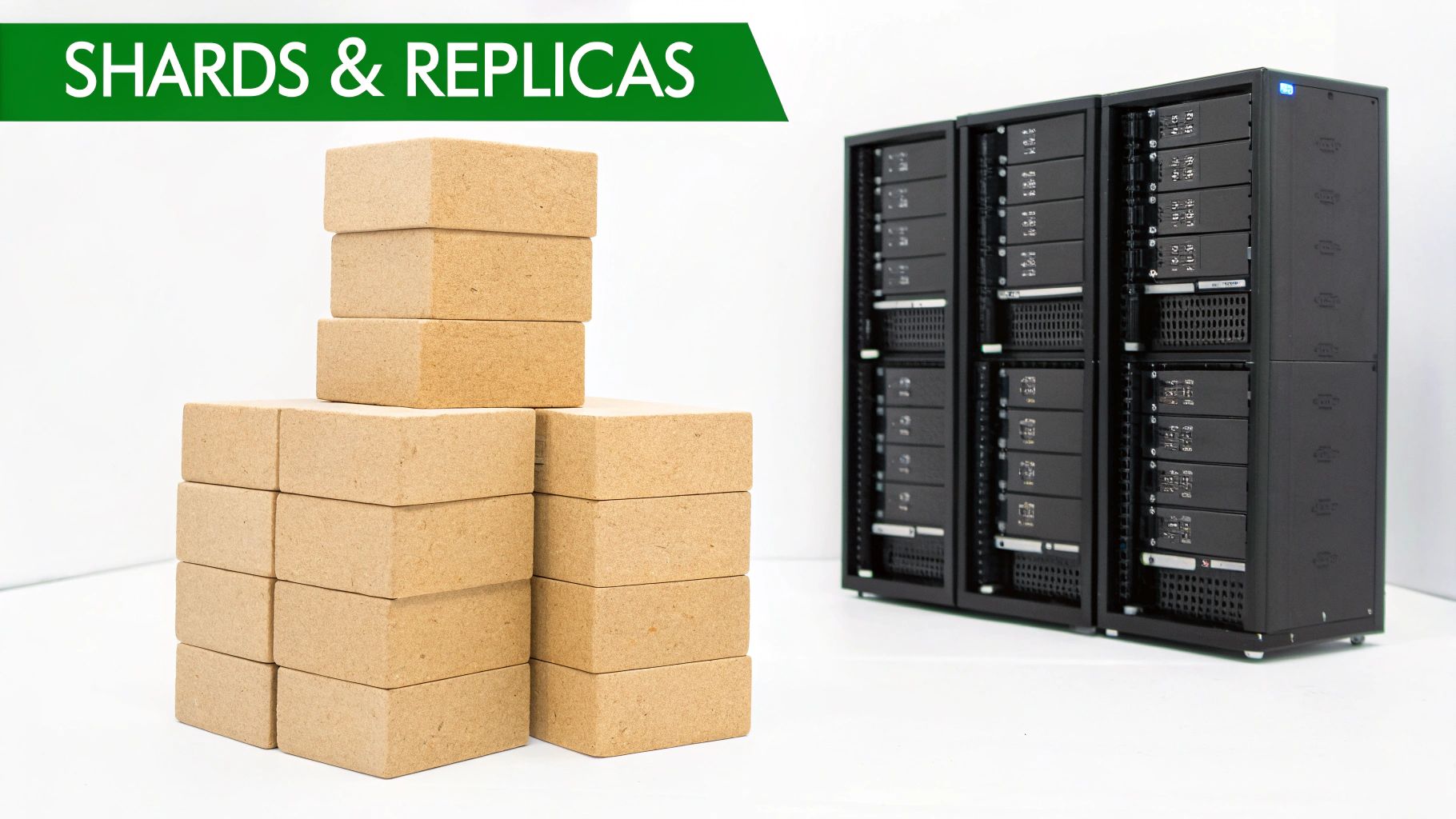
You've designed a perfect schema, but a beautifully mapped index can still buckle under a real-world retrieval workload. When you create an Elasticsearch index, you must plan for scale and resilience right from the start.
This is where shards and replicas come in. They are the fundamental building blocks for any production-grade RAG system that needs to be fast and reliable.
These settings control how your data is distributed across your cluster and how it withstands node failures or traffic spikes. For a RAG application, getting this wrong means slow retrieval, system instability, or worse, losing data.
Understanding Shards for Performance and Scalability
A shard is a self-contained search engine holding a slice of your index's data. Elasticsearch distributes these shards across the nodes in your cluster, enabling parallel processing. When you fire off a query, it hits all relevant shards simultaneously, which is the secret to its speed.
For a RAG system indexing millions of document chunks, a single shard would become a massive bottleneck. By splitting the index into multiple shards, you spread out the indexing and search load so no single node is overwhelmed.
The catch? The number_of_shards setting is locked in the moment you create the index. You cannot change it later without a full reindex. This makes your initial choice incredibly important. A good rule of thumb is to aim for a shard size between 10GB and 50GB.
For a practical RAG scenario, if you expect your dataset to be around 150GB, a smart starting point would be five shards, which puts you at roughly 30GB per shard.
PUT /rag_document_index { "settings": { "index": { "number_of_shards": 5, "number_of_replicas": 1 } }, "mappings": { "properties": { "chunk_embedding": { "type": "dense_vector", "dims": 768 } } } }
This configuration creates an index split into five primary shards, ready to handle significant data volume and retrieval traffic from day one.
Leveraging Replicas for High Availability
If shards provide scalability, replicas provide resilience and read-throughput. A replica shard is an exact copy of a primary shard. Its primary job is high availability: if a node holding a primary shard fails, Elasticsearch automatically promotes a replica to take its place.
Replicas are your first line of defense against data loss and downtime. Elasticsearch is smart enough to never place a replica on the same node as its primary shard, guaranteeing that a single node failure won't take out your data.
This setup has another crucial benefit for RAG: it boosts retrieval performance. Replica shards can serve search requests just like primaries, effectively doubling your read capacity for every replica you add. For a busy RAG application with many concurrent users, spreading the search load this way is a game-changer for maintaining low latency.
Unlike shards, the number_of_replicas can be updated on a live index, giving you flexibility to scale read capacity up or down based on traffic.
Thinking through your sharding and replication strategy isn't just theory; it's critical for cluster stability. Good configurations have been shown to prevent 85% of downtime incidents in production environments. When you set up an index with 'number_of_shards': 5 and 'number_of_replicas': 1, the replicas can handle queries while the primaries focus on indexing, allowing for failover in seconds. Elasticsearch 7.x made huge strides here, moving to a 1-shard default and improving cluster coordination, which boosted resilience by 60% and search speeds by 40% compared to older versions. If you're curious about how this has evolved, Logz.io has a great overview of managing Elasticsearch indices.
Choosing the Right Balance for RAG
So, what's the magic number? It depends on your specific RAG workload. If you're new to the vector database space, it can be helpful to see how other platforms tackle this. Our guide on Databricks Vector Search offers a useful point of comparison.
For your Elasticsearch index, you'll need to weigh these factors:
- Data Volume: Big datasets need more primary shards to keep each shard a manageable size.
- Indexing Rate: If you're constantly writing new documents, more shards help distribute that write load.
- Query Throughput: High read traffic is a clear signal to add more replicas to serve those search requests.
- Resilience Needs: For any mission-critical RAG system, having at least one replica (
"number_of_replicas": 1) is non-negotiable. For maximum durability, you might even consider two.
By taking the time to thoughtfully configure shards and replicas when you create your index, you're building a solid foundation. You'll have a high-performance RAG application that's ready to grow and adapt without ever compromising on retrieval speed or reliability.
Automating Index Management at Scale
<iframe width="100%" style="aspect-ratio: 16 / 9;" src="https://www.youtube.com/embed/Zwequ3YteHg" frameborder="0" allow="autoplay; encrypted-media" allowfullscreen></iframe>As your RAG application grows, manually creating and managing indices becomes unsustainable. It's slow, tedious, and invites human error that can compromise your entire retrieval system.
At scale, automation isn't a luxury; it's a necessity for maintaining a healthy, fast, and cost-effective cluster.
The key is to shift from treating indices as hand-crafted objects to viewing them as disposable, policy-driven resources. Two powerful Elasticsearch features make this possible: index templates and Index Lifecycle Management (ILM). Used together, they form the foundation of a robust, hands-off management strategy for your RAG data.
Enforcing Consistency with Index Templates
An index template is a reusable blueprint. It automatically applies a predefined set of mappings and settings to any new index whose name matches a specific pattern. For a dynamic RAG environment where you might create indices like rag-docs-2024-q4 or rag-docs-customer-x, this is a lifesaver.
Instead of including the full schema in every creation request, you define the template once. For example, a template matching rag-documents-* can automatically apply your carefully designed dense_vector mapping, custom analyzers, and optimal shard count to every new RAG index.
This guarantees every index is configured identically, eliminating the risk of inconsistent retrieval behavior. Treating your Elasticsearch configuration like application code—versioned and repeatable—is a core tenet of good infrastructure as code best practices.
Automating the Entire Index Lifecycle with ILM
While templates handle the creation of an index, Index Lifecycle Management (ILM) manages its entire life, from creation to deletion. ILM lets you build policies that automatically move an index through different phases based on its age or size. This is incredibly powerful for optimizing costs and maintaining performance, especially for RAG systems with time-sensitive data.
An ILM policy is built around four main phases:
- Hot: The index is actively being written to and queried. It resides on your fastest hardware for peak retrieval performance.
- Warm: Writing has stopped, but the index is still queried. It can be moved to less performant (and cheaper) hardware.
- Cold/Frozen: The index is rarely accessed but needs to remain searchable. It's moved to low-cost object storage.
- Delete: The index has outlived its usefulness and is automatically and permanently removed.
For a RAG application, a smart ILM policy isn't just an operational tool—it's a financial game-changer. It lets you keep the freshest, most relevant documents on high-performance nodes for fast retrieval while seamlessly pushing older, less-critical data to cheaper storage tiers without anyone lifting a finger.
To make this concrete, here is a practical example of an Index Lifecycle Management policy designed to manage time-series or log-based RAG data efficiently across different storage tiers.
Sample ILM Policy for RAG Data
| Phase | Minimum Age | Actions | Primary Use Case |
|---|---|---|---|
| Hot | N/A | Rollover when index hits 50GB or 30 days. Set priority to 100. | Active indexing and frequent querying of the latest document chunks. |
| Warm | 30 days after rollover | Set priority to 50. Shrink to 1 shard. Move to warm nodes. | Older documents that are still queried but less frequently. |
| Cold | 90 days after rollover | Move to cold nodes. Freeze the index. | Archival data that must remain searchable but with higher latency. |
| Delete | 365 days after rollover | Delete the index permanently. | Data has passed its retention period and is no longer needed. |
By attaching this policy to your index template, you create a fully automated, self-managing system. New indices are created with the correct retrieval-optimized schema, live out their useful lives according to your performance and cost rules, and are cleanly deleted when no longer needed. This is how you scale a RAG infrastructure efficiently.
Practical Index Creation for RAG Applications
Knowing the theory is one thing, but a complete, production-ready example makes it all click. When building an index for a Retrieval-Augmented Generation (RAG) system, every line of your JSON request serves the goal of improving retrieval. You're translating your entire retrieval strategy into a concrete, executable schema.
Let's build a full, copy-paste-ready index mapping. This example is tailored for storing document chunks processed by a tool like ChunkForge, which enriches them with vector embeddings and deep metadata. We'll break down the "why" behind each choice so you can adapt this blueprint for your own RAG pipelines.
This setup takes you from a basic proof-of-concept to a robust retrieval engine, ready to feed high-quality context to your LLM.
A Complete RAG Index Mapping Example
Imagine you've processed a library of internal documents, breaking each into semantic chunks. Every chunk has its text, a vector embedding, and crucial metadata like the original filename and page number. Your mission is to create an index that makes this data fast and easy to search with high relevance.
Here’s the complete PUT request to create an index named rag-company-docs designed for exactly this purpose.
PUT /rag-company-docs { "settings": { "index": { "number_of_shards": 3, "number_of_replicas": 1 } }, "mappings": { "properties": { "chunk_text": { "type": "text" }, "chunk_embedding": { "type": "dense_vector", "dims": 768, "index": true, "similarity": "cosine" }, "source_document": { "type": "keyword" }, "page_number": { "type": "integer" }, "chunk_id": { "type": "keyword" } } } }
This isn't just a configuration; it's a strategic decision to enable superior retrieval for your RAG application.
Deconstructing the RAG Index Schema
Every field in this mapping plays a specific role in enabling hybrid search—the powerful fusion of semantic vector search and precise metadata filtering that is key to RAG success.
The properties Block Explained
-
chunk_text(text): This holds the raw content of your document chunk. As atextfield, it's analyzed and tokenized, powering classic keyword search to find specific terms or phrases. -
chunk_embedding(dense_vector): This is the core of your semantic retrieval capability."dims": 768: This value must match your embedding model's output dimension. A mismatch will cause ingestion to fail. 768 is common forsentence-transformersmodels."index": true: This is non-negotiable for performance. It tells Elasticsearch to build an Approximate Nearest Neighbor (ANN) index (an HNSW graph), which makes vector search incredibly fast across millions of documents."similarity": "cosine": This specifies the vector comparison algorithm. Cosine similarity is the standard for modern embedding models as it effectively measures semantic relatedness by comparing the angle between vectors.
-
source_document(keyword): This field stores metadata like the original filename. Thekeywordtype treats the value as a single, exact token, perfect for filtering. You can instantly narrow your search to chunks fromQ4-Financials.pdfwithout any text analysis interference. -
page_number(integer): For numeric metadata,integerenables efficient range queries, such as finding all chunks from pages 10 to 15 of a document. -
chunk_id(keyword): A unique ID for each chunk is a best practice for traceability, allowing you to easily update or delete specific chunks.
By combining these field types, you build a system where an AI application can first use a
keywordfilter onsource_documentto isolate a specific manual, then run a lightning-fast vector search onchunk_embeddingwithin that subset to find the most relevant troubleshooting step.
This hybrid approach is a game-changer for both the speed and accuracy of your RAG pipeline.
Reusability with Component Templates
Manually defining that dense_vector mapping for every new RAG index is error-prone. A more elegant, scalable solution is a component template—a reusable building block for your index templates.
Let's create a component template for our vector search configuration.
Creating a Vector Search Component Template
PUT _component_template/rag_vector_search_settings { "template": { "mappings": { "properties": { "chunk_embedding": { "type": "dense_vector", "dims": 768, "index": true, "similarity": "cosine" } } } } }
You now have a named component, rag_vector_search_settings, that you can reference in any index template.
Applying the Component in an Index Template
Next, we create an index template that automatically applies this component to any new index matching the rag-*-docs pattern.
PUT _index_template/rag_docs_template { "index_patterns": ["rag-*-docs"], "composed_of": ["rag_vector_search_settings"], "template": { "settings": { "number_of_shards": 3 }, "mappings": { "properties": { "chunk_text": { "type": "text" }, "source_document": { "type": "keyword" }, "page_number": { "type": "integer" } } } } }
Now, when you create an index like rag-financial-docs, it automatically inherits the correct dense_vector mapping and all other fields. This guarantees consistency and simplifies management, making your entire indexing process more robust and scalable for RAG.
Frequently Asked Questions About Creating an Index
As you build the retrieval engine for a RAG system, a few common questions arise. Here are direct answers to the challenges most often encountered when you create an Elasticsearch index for AI-powered search.
This diagram breaks down the process into a simple, three-stage flow to get your RAG index ready for prime time.
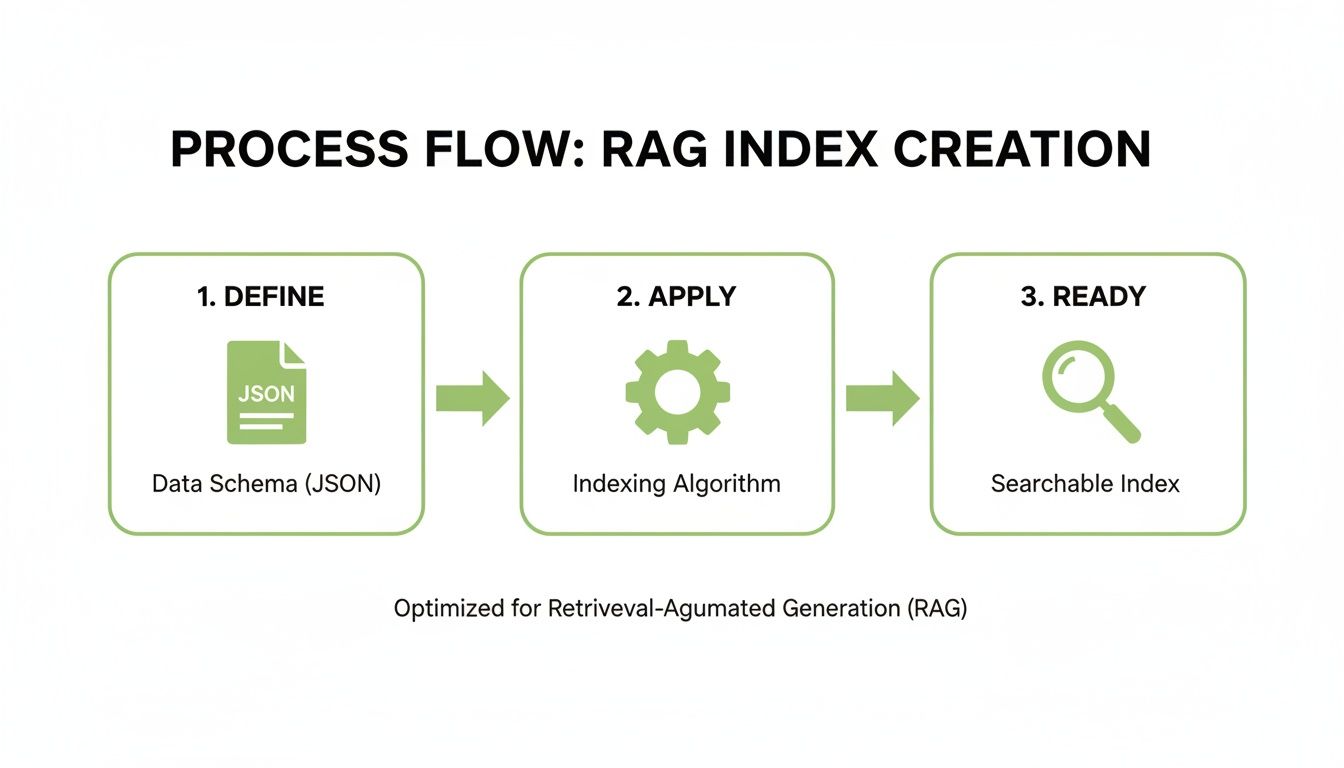
The idea is simple but powerful: a well-defined index schema gets applied to the cluster, making it instantly available for high-speed retrieval.
How Do I Choose the Right Number of Shards for My Index?
Choosing the right shard count is a balance between performance and resource management. A great rule of thumb is to keep shard sizes between 10GB and 50GB. Estimate your total data size and divide by a target size—say, 30GB—to find a starting shard count.
For RAG applications, you must also factor in query volume. High concurrent retrieval requests may require more shards to distribute the search load, even with a smaller dataset.
My advice: Start with a conservative number of shards, then monitor shard size and query latency. It's easier to manage growth with time-based indices and aliases than to re-shard an existing index.
What Is the Difference Between an Index Mapping and an Index Template?
An index mapping is the schema for a single index. It defines fields, their data types (like text, keyword, or dense_vector), and their analysis rules. It is defined when you create the index.
An index template is a reusable blueprint. It automatically applies a pre-configured set of settings and mappings to any new index that matches a name pattern (e.g., logs-*). Templates are essential for enforcing consistency and automating index creation, which is non-negotiable for scaling a RAG environment.
Here's a helpful analogy: The mapping is the detailed architectural drawing for one specific house. The index template is the master plan for the entire subdivision, making sure every house is built on the same solid foundation.
Can I Add a New Field to an Existing Index Mapping?
Yes, you can add new fields to an existing mapping on the fly using the PUT /my-index/_mapping API. It's a non-destructive operation and a common task as your RAG system's metadata requirements evolve.
What you cannot do is change the mapping of an existing field. For example, you can't switch a field from text to keyword once data has been indexed, as the data has already been processed based on the original type.
If you need to change an existing field, the standard procedure is to create a new index with the correct mapping. Then, use the Reindex API to migrate your data from the old index to the new one. Mastering this workflow is critical for RAG systems, where your metadata schema will almost certainly evolve to improve retrieval accuracy.
Ready to transform your documents into perfectly structured, RAG-ready assets? ChunkForge gives you the power to create context-rich chunks with deep metadata, optimized for any vector database. Start your free 7-day trial and accelerate your AI development today at https://chunkforge.com.