
A Developer's Guide to the Weaviate Vector Database for RAG
Unlock high-performance RAG with our guide to the Weaviate vector database. Learn its architecture, hybrid search, and practical tips for AI developers.
Meet Weaviate, the open-source vector database built from the ground up to power AI-native applications. It’s designed to understand the meaning behind your data—whether it's text, images, or audio—by turning it all into numerical representations called vectors. This makes it a crucial building block for any modern Retrieval-Augmented Generation (RAG) system, where the quality of retrieval directly dictates the quality of the final generated output.
What Is the Weaviate Vector Database?
Imagine a classic library card catalog. It’s fantastic if you know the exact title or author of a book—a perfect keyword match. But what if you only remember the plot, the characters, or the feeling the story gave you? The card catalog is useless.
This is exactly where a Weaviate vector database shines, especially for RAG. It acts less like a card catalog and more like a seasoned librarian who instantly grasps the concept behind your request to find the most relevant information.
Instead of just matching keywords, Weaviate translates your complex, unstructured data into vectors. These vectors capture the semantic essence of the information, letting the database uncover relationships and similarities that would otherwise be completely hidden. It understands that "summer vacation outfits" and "what to wear to the beach" are conceptually the same, even though the words are different.
This is the engine that powers effective RAG systems. Weaviate nails the "retrieval" step by finding the most relevant snippets of information for a Large Language Model (LLM) to work with, ensuring the generated output is accurate and contextually grounded.
Why Weaviate Is a Go-To for RAG
Weaviate's real magic lies in its ability to feed LLMs highly accurate, context-rich information. By doing this, it helps prevent the model from "hallucinating" or just making things up. You're grounding the LLM with facts from your own knowledge base, ensuring the final output is both relevant and trustworthy. Its modular, open-source nature has made it a favorite for developers building the next wave of AI tools.
The industry is taking notice. Netherlands-based Weaviate locked in $50 million in Series B funding in March 2024 to fuel its expansion. This move mirrors the explosive growth of the global vector database market, which is on track to jump from $1.97 billion in 2024 to $10.60 billion by 2032, according to market analysis from snsinsider.com.
You can dive deeper into its capabilities in our detailed guide on getting started with Weaviate.
How Weaviate's Architecture Powers RAG
To really get why Weaviate is such a powerhouse for RAG, you have to look under the hood. Its magic isn't just one thing; it's a modular architecture designed from the ground up for speed, relevance, and flexibility. This setup is what lets you build retrieval systems that go way beyond basic similarity search.
It all starts with Weaviate's vectorization modules. You can think of these as built-in translators. When you feed data into Weaviate, a module like text2vec-openai automatically converts it into a rich, meaningful vector embedding. This is a huge deal—it automates a tricky engineering step, letting you focus on the quality of your data, not the plumbing of vectorization.
This concept map shows how Weaviate sits at the center, turning raw data into the intelligent vectors that fuel RAG systems.
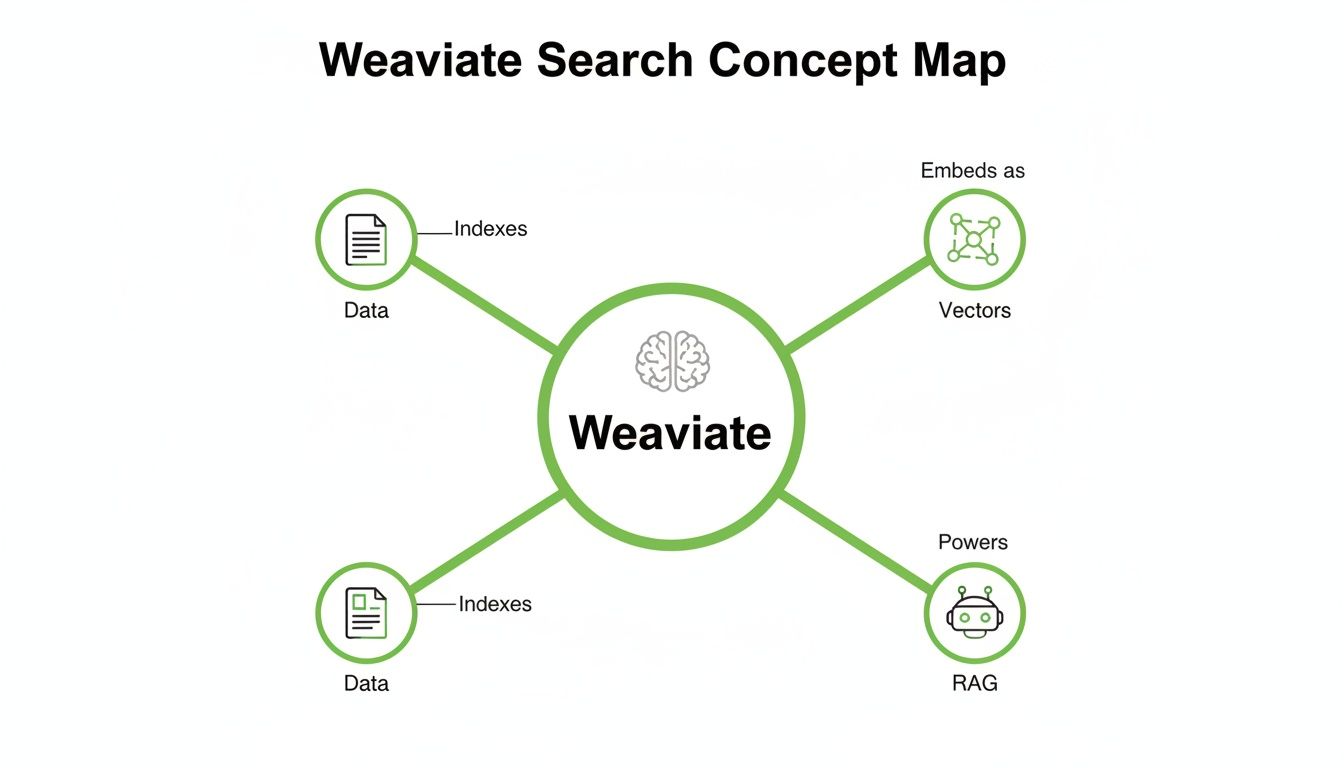
As you can see, Weaviate is the engine that connects unstructured content to the retrieval component of your RAG application.
The Speed of HNSW Search
At the heart of Weaviate's retrieval engine is the Hierarchical Navigable Small World (HNSW) algorithm. That name’s a mouthful, but the concept is brilliant. It builds an intelligent, multi-layered map of your vector data—kind of like an airline map with major hubs connecting to smaller regional airports.
This structure allows Weaviate to find what it's looking for in a massive dataset without scanning every single data point. We're talking lightning-fast queries across millions or even billions of vectors. For a RAG system, that speed is what makes real-time, conversational answers possible.
Hybrid Search for Unmatched Relevance
This is where Weaviate really shines for RAG: its native Hybrid Search. This feature tackles a classic weakness of pure vector search head-on. While vector search is fantastic at finding semantically similar ideas, it can sometimes stumble over specific keywords, product codes, or acronyms that your users are searching for.
Hybrid search combines the contextual, meaning-based power of vector search with the precision of traditional keyword search (BM25). It’s the best of both worlds, ensuring you retrieve documents that are both conceptually relevant and contain the exact terms you need.
This dual approach is a game-changer for RAG, massively reducing the odds of missing a critical piece of information just because the phrasing wasn't a perfect semantic match.
The industry is definitely noticing. The global vector database market was valued at $2.58 billion in 2025 and is on track to hit an incredible $17.91 billion by 2034, as detailed in market research from Fortune Business Insights. This boom reflects how crucial features like hybrid search have become. With over 8,000 GitHub stars, Weaviate is clearly a major force in this space.
Weaviate offers several powerful search methods, each suited to different RAG scenarios. Understanding them helps you pick the right tool for the job.
Comparing Weaviate Search Methods for RAG
| Search Method | How It Works | Best For RAG When... | Example Use Case |
|---|---|---|---|
| Vector Search | Finds data based on semantic similarity using vector embeddings. It's about meaning, not exact words. | You need to find conceptually related information, even if keywords don't match. | A user asks "how to secure my account," and the system retrieves a chunk about "2FA setup." |
| Keyword Search | Uses the BM25 algorithm to find documents based on exact keyword matches and term frequency. | You need to find specific, literal terms like product SKUs, error codes, or proper nouns. | A user searches for "error 0x80070005," and the system must pull up that exact error code. |
| Hybrid Search | A fused combination of vector and keyword search. Results are re-ranked based on a weighted score. | You need both conceptual relevance and keyword precision. This is the default for most RAG. | A user asks about "billing policies for Project-X," requiring both meaning and a keyword. |
| Generative Search | Feeds the top search results directly into a large language model to generate a direct answer. | You want a concise, synthesized answer instead of just a list of source documents. | A user asks, "What was our Q3 revenue?" and gets back "$5.2M," generated from a report. |
Ultimately, having access to all these methods within one database gives you the flexibility to build a truly robust and accurate RAG pipeline.
Filtering with Schemas and Metadata
Finally, Weaviate's architecture is built around a structured schema. A well-defined schema isn't just for keeping things tidy; it's one of your most powerful tools for improving retrieval accuracy.
By attaching filterable metadata to your data objects—things like creation dates, document sources, or product categories—you can dramatically shrink the search space before the vector search even kicks off. This pre-filtering step ensures the context you pass to the LLM isn't just relevant, but is also pulled from the right sources. This leads to far more precise and trustworthy answers from your RAG system.
Optimizing Data for Superior RAG Retrieval
Top-tier retrieval in a RAG system isn't born from a clever query; it's cultivated long before a user ever asks a question. How you prepare, structure, and enrich your data fundamentally dictates the relevance and accuracy of the context you feed to your LLM. Moving beyond a simple "dump and search" approach is the key to unlocking real performance.
Think of your raw data as a library full of books with blank covers and no chapter headings. A pure vector search might find books with similar themes, but it's a slow and often imprecise process. Preparing your data is like meticulously organizing that library—adding titles, author bios, genre labels, and publication dates. Suddenly, finding the right information becomes exponentially faster and more accurate.

This preparation phase is where you transform a chaotic pile of documents into a highly searchable knowledge base, ready to be loaded into your Weaviate vector database.
The Power of Pre-Filtering with Metadata
One of the most effective strategies for boosting RAG performance is using metadata to pre-filter your search space. Instead of searching through every single document in your database, you can tell Weaviate to first narrow down the candidates to a specific subset. This dramatically cuts the workload for the vector search algorithm and stops irrelevant information from ever reaching the LLM in the first place.
Imagine you're building a RAG system to answer questions about internal company reports. A user asks, "What were the marketing goals for Q4 2023?" Without filtering, Weaviate would have to search all reports from every department and every year. With metadata, you can apply a pre-flight filter.
Your query could first isolate documents where:
department == "Marketing"year == 2023quarter == "Q4"
Only after this much smaller subset is created does the vector search kick in to find the most semantically relevant chunks. This ensures the retrieved context is not just topically similar but is guaranteed to be from the correct source, leading to far more reliable answers.
Enriching Chunks for Deeper Context
What’s inside your data chunks is just as important as their vector representation. Enriching each chunk with additional, structured metadata gives both the retrieval system and the LLM powerful context to work with. This process turns a simple block of text into a rich, self-contained piece of information.
By embedding metadata directly into your data objects, you create a more robust and flexible retrieval system. This structured data acts as a secondary layer of information that refines search results and improves the final generative output.
For instance, as you process documents, you can automatically generate and attach properties like:
- A concise summary of the chunk's content.
- Extracted keywords or key entities mentioned within it.
- Source information, like the original filename, page number, or author.
- A question the chunk answers, which is fantastic for building FAQ-style RAG systems.
Tools like ChunkForge are designed specifically for this deep enrichment process, letting you generate summaries and extract keywords automatically before you export the data to Weaviate. For a deeper look into preparing your documents, you might find our guide on chunking strategies for RAG useful.
Implementing Generative Feedback Loops
Weaviate’s architecture lets you create a powerful feedback loop directly inside the database using its generative modules. Instead of just retrieving a list of document chunks and passing them off to an external LLM, you can have Weaviate perform a generative task on the results before they are even returned to your application.
This is an incredible technique for refining context on the fly. You could ask Weaviate to run a hybrid search and then use its generative module to summarize the top five results into a single, cohesive paragraph. This summarized context is often cleaner and more potent for the final LLM prompt, as it filters out noise and redundancy from the source chunks.
This simple step transforms good retrieval into truly exceptional retrieval, making sure every piece of information passed to your LLM is precise, relevant, and ready for generation.
Practical Querying for RAG Applications
This is where the rubber meets the road. All the retrieval theory in the world doesn't matter until you start pulling real data from your RAG system. Getting started with a Weaviate vector database is surprisingly straightforward, thanks in large part to its excellent Python client library. We'll walk through the essential queries that will become the backbone of your RAG pipeline, starting simple and building up to more advanced, real-world examples.
The whole process kicks off after you've defined your schema and loaded up your carefully prepped data. Once your knowledge base is indexed and ready, you can start running the kinds of queries that feed high-quality, relevant context to your LLM.
Fine-Tuning Hybrid Search with Alpha
As we've touched on, hybrid search is Weaviate’s secret sauce for top-tier RAG. It intelligently blends semantic search with classic keyword search to find results that are both conceptually on-point and textually precise. The main lever you have to control this blend is the alpha parameter.
Think of alpha as a slider. It’s just a number between 0 and 1 that tells Weaviate how much weight to give each search method:
alpha=1: Pure vector search. Weaviate will only consider semantic meaning and ignore keyword matches completely.alpha=0: Pure keyword search (using BM25). This ignores all the cool vector similarity stuff.alpha=0.5: A perfect 50/50 split, giving equal importance to both methods.
For most RAG use cases, you'll find a sweet spot for
alphasomewhere between 0.4 and 0.6. This range respects both the user's underlying intent (semantic) and the specific words they used (keyword), which usually leads to the most reliable retrieval.
You absolutely have to experiment with this value. If you're working in a domain with a ton of jargon or specific part numbers, you might find yourself leaning closer to 0. For broader, more conceptual questions, an alpha closer to 1 will probably serve you better.
Pinpointing Data with Metadata Filters
Hybrid search is great at finding what you’re looking for, but metadata filtering is how you make sure it comes from the right place. This is a non-negotiable for building RAG systems people can actually trust. By adding where filters to your queries, you can slash the search space before Weaviate even starts comparing vectors.
Imagine building a chatbot that pulls from a massive library of technical manuals. You can filter by a product name and a publication year to make sure you don't serve up outdated instructions for the wrong device.
Example of a Weaviate query with metadata filtering in Python
response = ( client.query .get("ManualChunk", ["content", "source_page"]) .with_hybrid( query="How do I replace the battery?", alpha=0.5 ) .with_where({ "path": ["productName"], "operator": "Equal", "valueText": "Model-X1" }) .with_limit(3) .do() )
This combination is incredibly powerful. The with_where clause first carves out a subset of chunks—only those related to "Model-X1"—and then the hybrid search runs on that much smaller, more relevant dataset. To see how this concept applies in other frameworks, check out our guide on the LangChain vector store integration.
In-Database Question Answering with Generate
Weaviate can even take retrieval one step further with its built-in generate operator. Instead of just handing you back a list of documents and calling it a day, this feature can use a generative model to cook up a direct answer from the results it found. It all happens in a single, efficient API call.
By 2025, Weaviate's developer community had exploded, pushing its GitHub repository past 8,000 stars. This growth is no accident; it's fueled by RAG-centric features like hybrid search, which can deliver 10-NN search performance in single-digit milliseconds across millions of vectors. Benchmarks have clocked it at a blistering 791 queries per second (QPS), a must-have for the demanding e-commerce world. This kind of performance has made it a go-to choice in North America, especially within U.S. fintech and gaming. For more on the market, check out the data from MarketsandMarkets.
Using the generate operator couldn't be simpler. You just tack it onto your query and give it a prompt, like asking it to answer a question using the documents it finds. The final output gives you both the synthesized answer and the source documents used to create it—a perfect combo of directness and verifiability.
Scaling Weaviate for Production Workloads
<iframe width="100%" style="aspect-ratio: 16 / 9;" src="https://www.youtube.com/embed/ZUU7rMjJRFc" frameborder="0" allow="autoplay; encrypted-media" allowfullscreen></iframe>Moving your RAG application from a developer's playground to the real world is a big step. It demands a solid plan for operations. When it comes to your Weaviate vector database, you've got two main paths to choose from, each offering a different mix of control and convenience.
The first route is self-hosting, which usually means running Weaviate with Docker. This path gives you total control over your infrastructure, configuration, and security. It's the right choice for teams with specific compliance rules or those who want to meticulously tune every part of the deployment on their own servers.
The other option is Weaviate Cloud Services (WCS), a fully managed solution. WCS takes care of the tricky parts—setup, maintenance, and scaling—so you don't have to. This frees up your team to focus on building an amazing RAG application instead of wrestling with database infrastructure, making it a popular way to get to market faster.
Performance Tuning for Faster Retrieval
No matter how you deploy, tuning the HNSW index parameters is absolutely critical for balancing search speed and accuracy. Two settings, in particular, will have the biggest impact on your RAG system's performance.
efConstruction: This controls the quality of the graph index built when you first import your data. A higher value creates a more precise index but also means your import process will take longer.ef: This parameter manages accuracy at search time. Bumping up theefvalue makes the search wider and more thorough, which improves recall (finding all the right results) but adds a bit of latency.
The trick is to find the sweet spot for your specific needs. Start with lower values for both, then slowly increase them while benchmarking your query speed and retrieval quality. Keep tweaking until you hit that perfect trade-off for your RAG application.
A well-tuned Weaviate instance can dramatically cut down on retrieval latency. This translates directly to a faster, more responsive user experience in your RAG app. The goal is to make the retrieval step feel instant.
Horizontal Scaling and High Availability
As your data piles up, a single Weaviate instance might start to feel the strain. The good news is that Weaviate was built from the ground up to scale horizontally using sharding. This technique cleverly distributes your data across multiple nodes in a cluster.
This means you can boost capacity and throughput just by adding more machines. It ensures your performance stays snappy, even when you're dealing with billions of vectors.
For true production-grade reliability, Weaviate also supports replication. By creating copies (or replicas) of each shard, you guarantee high availability. If one node goes down, another replica can jump in immediately to take its place, preventing any downtime for your RAG application. For top-tier performance monitoring, getting a handle on system metrics is key; learning about mastering CPU utilization in Linux can help ensure your Weaviate instances are running at their peak. This robust architecture gives you a clear path to building a scalable, production-ready system.
Here are some of the questions that pop up again and again when developers start building RAG systems with Weaviate. Getting these sorted out early can save you a ton of headaches down the road and help you get the most out of the database.
Let's dive into a few of the most common ones.
How Does Hybrid Search Improve RAG Results?
Hybrid search is a massive win for RAG because it gets you the best of both worlds: keyword and semantic search.
Think about it. Pure vector search is fantastic at understanding meaning and context. But it can sometimes stumble on specific, literal terms—things like product codes, unique names, or internal acronyms that the embedding model just doesn't know.
That's where hybrid search comes in. It runs a vector search and a traditional keyword search (using the BM25 algorithm) at the same time. This dual approach means your RAG system can find documents that are both contextually on-point and contain the exact keywords a user typed. You can even tune the balance with the alpha parameter, which dramatically cuts down on missed information and ensures the LLM gets the most relevant context possible.
Why Is a Schema Important for RAG in Weaviate?
Sure, a schema is great for organizing data, but its real superpower in RAG is enabling metadata filtering. When you define a proper schema, you can attach specific properties to your chunks, like document_source, author, or creation_date.
By applying filters based on this metadata, you can dramatically narrow the search space before the vector search even begins. This is a crucial optimization for improving both speed and accuracy.
For instance, you could tell Weaviate to only search within documents published in a specific year or written by a particular author. This simple step prevents the LLM from getting bogged down with irrelevant context from other sources, which leads to far more precise and trustworthy answers.
Can I Use My Own Vectors in Weaviate?
Yep, absolutely. Weaviate has full support for a "Bring Your Own Vectors" (BYOV) workflow. This gives you complete control over the embedding process.
This is the perfect setup if you're using a custom-trained embedding model or one that isn't natively supported by Weaviate’s modules. To do it, you just set the vectorizer for your collection to “none” in the schema. Then, when you import your documents, you pass in your pre-computed vector right alongside the object's text and metadata. It’s that simple.
This flexibility means you can plug highly specialized or fine-tuned models directly into your Weaviate pipeline, making sure your vector embeddings are a perfect match for your specific domain and data.
Ready to create perfectly optimized, RAG-ready chunks for your next project? ChunkForge helps you prepare and enrich your documents with multiple chunking strategies, deep metadata extraction, and a visual interface to ensure perfect traceability. Start your free trial today and take the first step toward building a superior retrieval system. Get started with ChunkForge.