
Weaviate vector db: A Practical Guide for RAG Retrieval (weaviate vector db)
Explore how to optimize RAG pipelines with weaviate vector db — learn schema design, hybrid search, and seamless integration.
At its core, a Weaviate vector db is an open-source database built for storing and searching data objects alongside their vector embeddings. Unlike a traditional database that hunts for exact keyword matches, Weaviate finds information based on semantic meaning. This makes it a beast for modern AI applications, especially for Retrieval-Augmented Generation (RAG), because it can blend that fuzzy semantic search with pinpoint metadata filtering to drastically improve retrieval quality.
Why Your RAG System Needs a Smarter Database

Let’s be honest: a lot of Retrieval-Augmented Generation (RAG) systems fall flat because their retrieval step is clumsy. Your Large Language Model (LLM) is only as good as the context you feed it. If your retriever pulls in noisy, irrelevant, or incomplete junk, you’re going to get generic answers or, worse, hallucinations.
This is exactly where a basic vector store hits its limits. Just finding semantically similar chunks of text isn't enough for the complex problems we're trying to solve in the real world. To really get why a smarter database is a game-changer for RAG, it helps to have a solid baseline in understanding Large Language Models (LLMs), since they’re the engine doing the generation part.
Moving Beyond Basic Vector Search
Weaviate Vector DB tackles this problem head-on by acting more like an intelligent knowledge base than a simple bucket for vectors. Think of it as a master librarian. A normal database can find you all the books on "finance," but Weaviate can find books conceptually similar to "market volatility," published in the last 90 days, and written by a specific analyst.
It pulls this off with a powerful hybrid search. Weaviate masterfully combines two different search methods:
- Vector Search: Finds data based on what it means.
- Scalar Filtering: Narrows the results using structured metadata like dates, sources, or keywords.
This blend of semantic search and hard filtering is the secret sauce for next-level RAG. It ensures the context you pass to your LLM isn't just related—it's the exact information needed to give a great answer.
The Critical Role of Data Preparation
But even the best database is useless without good data. The path to amazing retrieval quality starts way before you even touch Weaviate—it begins with how you prepare and structure your documents.
High-quality data prep is the bedrock of any solid RAG system, a topic we cover in depth in our guide to Retrieval-Augmented Generation. By enriching your data chunks with meaningful metadata before you load them, you unlock Weaviate's true power. This simple step transforms a pile of raw documents into a structured, queryable knowledge graph, setting you up perfectly for the strategies we’ll dig into next.
Understanding Weaviate's Core Concepts for RAG
<iframe width="100%" style="aspect-ratio: 16 / 9;" src="https://www.youtube.com/embed/dN0lsF2cvm4" frameborder="0" allow="autoplay; encrypted-media" allowfullscreen></iframe>To build a RAG system that really performs, you have to get to know your tools. Moving from a simple vector store to a full-fledged Weaviate vector db means getting a handle on its three foundational pillars: vector embeddings, schemas, and modules. Nail these, and you're on your way to building truly precise information retrieval.
Think of vector embeddings as coordinates for meaning. A GPS coordinate tells you exactly where you are on a map; a vector embedding does the same for an idea or a piece of text within a vast, high-dimensional space. When you ask a question, Weaviate turns it into a vector and hunts for data chunks with the "closest" coordinates. This ensures the results are semantically relevant, not just a simple keyword match.
This powerful approach is why Weaviate, an open-source vector database from the Netherlands, has become a major player in the world of AI-native data. It's the engine behind everything from semantic search to the complex RAG pipelines that tools like ChunkForge are designed to feed.
As of late 2025, Enlyft reports that 42 companies are actively using Weaviate globally, with a massive 41% of them based in the United States. These aren't just startups; 38% are large enterprises with over 1,000 employees. You can dig into more of Weaviate's market adoption stats on Enlyft's website.
The Schema: A Blueprint for Your Knowledge
If vectors are the coordinates, the Weaviate schema is the blueprint for your entire knowledge base. It's a structured plan that defines how your data is organized, just like a building's blueprint lays out where the walls, doors, and windows go. In Weaviate, you define classes (like DocumentChunk or Product) and their properties (like content, source_url, or author).
This structure is absolutely critical for RAG because it lets you store rich metadata right alongside your vectors. Without a well-designed schema, you're stuck with pure vector search. With one, you can run incredibly powerful filtered searches, telling Weaviate to find content that is not only semantically similar to your query but also meets specific rules, like "only from Q4 financial reports."
A schema transforms your data from a simple list of vectors into a queryable, structured knowledge graph. This is the foundation for moving beyond basic similarity search to achieve precision retrieval in your RAG system.
Weaviate Modules: Plug-and-Play Extensions
The final core piece of the puzzle is Weaviate Modules. These are plug-and-play extensions that handle complex jobs like vectorization, saving you the headache of building that logic from scratch. Instead of manually turning your text chunks into vectors with an external model, you can just configure a vectorizer module to do it automatically as data flows in.
For RAG systems, this is a huge time-saver. You can easily hook Weaviate up to popular embedding models from providers like OpenAI, Cohere, or Hugging Face. The module system manages the entire vectorization pipeline, turning your raw text and metadata into a searchable, RAG-ready object inside your Weaviate instance.
This tight integration simplifies your architecture and guarantees consistency between how your data is indexed and how your queries are vectorized. Together, these three pillars—vectors, schemas, and modules—form the powerful engine of the Weaviate vector db, giving you the tools to build a truly intelligent retrieval system.
To bring these concepts together, here's a quick summary of how each component plays a vital role in building a high-performing RAG system.
Weaviate Core Components for RAG Systems
| Component | Function in RAG | Actionable Insight |
|---|---|---|
| Vector Embeddings | Encodes the semantic meaning of text chunks, enabling similarity search. | Choose an embedding model that aligns with your content's domain (e.g., finance, legal) for the best retrieval relevance. |
| Schema | Defines the structure of your data, including classes and metadata properties. | Use metadata like source, author, and timestamp to enable powerful filtered queries and improve source attribution. |
| Modules | Provides plug-and-play functionality, especially for vectorizing data and queries. | Use a vectorizer module to automatically handle embeddings, ensuring consistency between ingested data and user queries. |
Ultimately, mastering these components allows you to move from basic vector search to a sophisticated, metadata-aware retrieval strategy that will dramatically improve the quality and reliability of your RAG application's responses.
Designing a Schema for Precision Retrieval

This is where all the theory pays off. A well-designed schema is the single biggest thing separating a mediocre RAG system from one that delivers incredible results. It turns your Weaviate vector db from a simple bucket of vectors into a smart, queryable knowledge base.
Think of it like this: without a schema, you just have a massive pile of documents on the floor. You can find things that look similar, but you can’t ask for anything specific. A good schema is your intelligent filing cabinet—every document chunk is neatly labeled with useful context.
This structure is what unlocks precision. It lets you mix the fuzzy, meaning-based power of vector search with the sharp, exact logic of metadata filtering. The real goal here is to help your RAG system find chunks that aren't just semantically close to a query but also meet specific, factual criteria.
Structuring Classes with Rich Metadata
First things first, you need to define a class to represent your data chunks. Don't just store the text and its vector. We're going to enrich it with properties that double as powerful filters. For any document-based RAG system, a class packed with critical metadata is the perfect starting point.
Let's imagine a class called DocumentChunk. Here’s a solid way to structure it with actionable metadata:
content: The actual text of the chunk itself.source_document: The filename or URL of the original document. Crucial for attribution.chunk_id: A unique ID for the chunk within its parent document.document_type: A category tag, like 'financial_report', 'legal_contract', or 'product_manual'.publish_date: The document's publication date, which is great for time-based questions.keywords: A list of extracted keywords for old-school term matching.
By defining properties like these, you're giving Weaviate multiple angles to search from. This lays the groundwork for powerful hybrid search queries that will make your retrieved contexts much, much more relevant.
Enabling Hybrid Search with a Practical Example
For RAG, hybrid search is Weaviate’s killer feature. It lets you blend vector similarity search with precise "where" clauses that filter on the metadata you just defined. It's a two-step dance: first, you narrow the search space with hard filters, and then you run the vector search on that much smaller, more relevant subset.
Let’s walk through a real-world scenario. You've got a knowledge base full of corporate documents and a user asks, "What were the key revenue drivers mentioned in last quarter's financial reports?"
A pure vector search would be a mess. It would probably pull up content about "revenue" from marketing fluff, old reports, and maybe even random internal emails. The results would be noisy and unreliable.
But with our schema, you can build a hybrid query that is surgically precise:
- Filter First: The query tells Weaviate to only look at chunks where
document_typeis'financial_report'. - Filter Further: Next, it adds another filter to grab only the chunks where
publish_dateis within the last quarter. - Search Second: Finally, with this small, highly relevant set of chunks, Weaviate performs a vector search for "key revenue drivers."
This approach ensures every single result passed to the LLM isn't just semantically related to revenue but is also guaranteed to come from the right type of document and time period. This drastically cuts down the risk of hallucinations and leads to far more accurate, grounded answers.
Building a Knowledge Graph with Cross-References
If you want to take your schema to the next level, start using cross-references. This feature lets you link related data objects together, effectively building a mini knowledge graph right inside Weaviate. Instead of just storing flat text, you create actual relationships between your classes.
For example, you could create a separate Author class with properties like name and department. Then, in your DocumentChunk class, you'd replace a simple author text field with a cross-reference that points to a specific object in the Author class.
This opens up entirely new ways to query your data. You could ask Weaviate to find all chunks that are semantically similar to "AI research" and were written by authors from the 'R&D' department. This kind of relational power transforms your database into a deeply connected web of information, enabling retrieval that understands not just what a chunk says, but how it connects to everything else.
Mastering Weaviate Search and Indexing
Great retrieval isn’t just about finding the right information; it’s about finding it fast. For any RAG application that people actually use, query latency is a make-or-break deal. This is where your Weaviate vector db’s indexing algorithm becomes the star of the show, working behind the scenes to make instant search possible across millions of vectors.
Weaviate gets its speed from an algorithm called Hierarchical Navigable Small World (HNSW). Think of HNSW as a super-efficient social network for your data. Instead of awkwardly checking every single person (vector) at a party to find a friend, you start by talking to a few well-connected people (the major hubs). From there, you quickly navigate through smaller, more specific groups until you land on exactly who you're looking for in just a few hops.
This layered, hub-based approach is how Weaviate performs Approximate Nearest Neighbor (ANN) searches so quickly without torpedoing accuracy. It completely avoids the brute-force method of comparing your query to every single vector in the database, making it a perfect fit for the low-latency demands of interactive RAG systems.
Choosing Your Search Strategy
Speed is one half of the puzzle; precision is the other. Weaviate gives you a flexible set of search modes so you can fine-tune retrieval for your exact needs. Getting these modes right is the key to crafting queries that feed the best possible context to your LLM.
You have three main ways to query data in Weaviate:
- Pure Vector Search: This is your classic semantic search. It finds objects based on conceptual similarity, matching the meaning of your query. It's fantastic for open-ended questions where the vibe is more important than the exact words.
- Keyword Search (BM25): Sometimes, you just need an exact match. This mode uses a traditional keyword algorithm to find objects containing specific terms. It's perfect for hunting down names, product codes, or any query where a particular word is non-negotiable.
- Hybrid Search: This is the secret weapon for most RAG apps. Hybrid search brilliantly combines the power of vector and keyword search, ranking results based on a fused score. It finds data that is both semantically relevant and contains key terms, giving you a balanced and almost always superior outcome.
Hybrid search truly gives you the best of both worlds. It catches the subtle meanings that keywords miss while still grounding the results in the specific terms your query requires. This is often the ticket to pulling in the most relevant and reliable context.
Crafting Powerful Hybrid Queries
The real magic happens when you start combining these search modes with the metadata filters we set up in our schema. This multi-pronged attack lets you build sophisticated queries that are both lightning-fast and surgically precise, making sure your LLM gets only the highest-quality context.
Weaviate's performance has made it a serious contender in the vector DB space. Its cloud-native design and HNSW indexing allow it to hammer out sub-50ms ANN queries at a rate of 791 queries per second (QPS), leaving many competitors in the dust. This high throughput is a huge reason why companies like Morningstar rely on Weaviate for fast internal document search and why it's a top choice for demanding RAG workflows, especially when fed with semantically rich chunks from tools like ChunkForge. To see how it stacks up against others, you can dig into its performance benchmarks and developer appeal in 2025.
Let's walk through a practical example. Imagine you need to find information about "cost optimization strategies" but only within documents tagged as an annual_report. A hybrid query handles this in one clean shot.
import weaviate

client = weaviate.Client("http://localhost:8080")

response = (
    client.query
    .get("DocumentChunk", ["content", "source_document"])
    .with_hybrid(
        query="cost optimization strategies",
        alpha=0.75, # Prioritize vector search over keyword
    )
    .with_where({
        "path": ["document_type"],
        "operator": "Equal",
        "valueText": "annual_report",
    })
    .with_limit(5)
    .do()
)

print(response)
Here, the with_hybrid method does the heavy lifting on the combined search, while the with_where clause neatly filters the results down to just the right document type. This layered approach guarantees that every retrieved chunk is both semantically relevant and contextually appropriate—the perfect setup for a high-quality, factually grounded LLM response.
Integrating Weaviate into Your RAG Pipeline Step by Step
Alright, we've covered schema design and Weaviate's powerful search features. Now it's time for the fun part: plugging it all together into a real, production-ready RAG pipeline. Think of this as the blueprint for turning a pile of raw documents into a system that delivers sharp, context-aware answers.
This entire process hinges on one critical, often-overlooked principle: your retrieval quality is only as good as your ingestion quality. It all starts long before a user ever asks a question.
Preparing and Ingesting Your Data
First things first, you need to process your source documents into clean, RAG-ready chunks. You can't just dump raw text and hope for the best. For anyone looking to sidestep the messy parts of this process, tools like ChunkForge are built to turn PDFs and other files into structured, metadata-rich chunks perfect for a weaviate vector db.
Once your data is chunked and enriched, it's time to load it. A word of advice: don't upload objects one by one. Weaviate is built for batch imports. Grouping hundreds or even thousands of chunks into a single request is way more efficient, cutting down on network chatter and getting your database populated much faster. This is also where you ensure all that valuable metadata maps correctly to the schema properties you defined earlier.
Retrieving Relevant Context
With your data indexed, the retrieval stage is where the magic really happens. When a user asks a question, your application's first job is to turn that query into a vector embedding. Here's a crucial point: you must use the exact same embedding model you used during ingestion. Any mismatch here will throw off the similarity search and tank your results.
Next, your application sends this query vector over to Weaviate. This is where you can layer in those metadata filters we talked about to zero in on the right information. Want to search only within documents published last year? Or from a specific author? This is how you do it, combining semantic search with hard filters for surgical precision.
This flowchart breaks down the different search paths you can take inside Weaviate to pull the best context for your RAG pipeline.
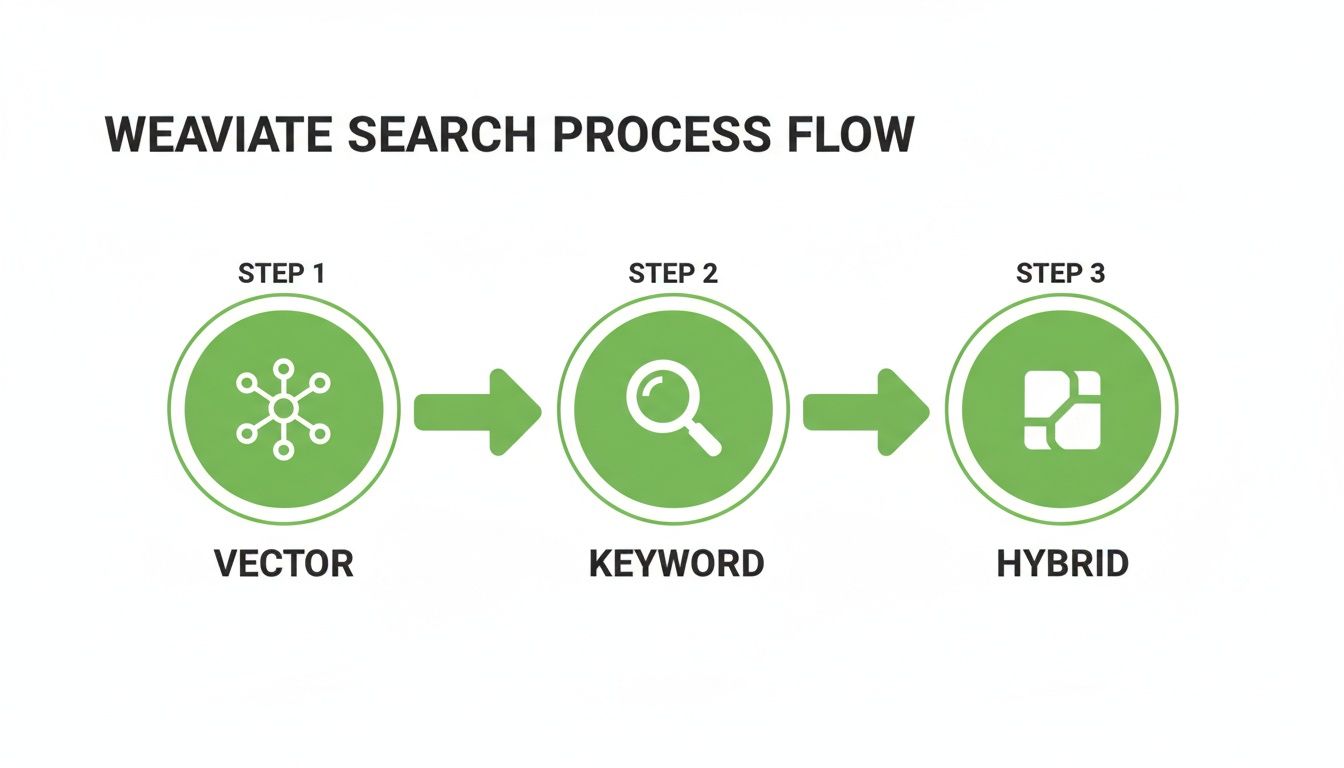
As you can see, you have the flexibility to go with pure vector search, a classic keyword search, or a powerful hybrid model that gives you the best of both worlds.
Generating the Final Answer
The last piece of the puzzle is generation. Weaviate returns a ranked list of the most relevant chunks. Your job is to compile the top results into a single, clean context. This context, along with the user's original question, gets handed off to a Large Language Model (LLM).
The LLM's role isn't to recall information from its own vast training data. Its job is to synthesize an answer based only on the context you just provided. This is what "grounds" the response in facts from your documents, dramatically cutting down on the risk of hallucinations.
This three-step dance—ingest, retrieve, generate—is the core of any solid RAG pipeline. If you're building with popular frameworks, it's worth seeing how you can use a LangChain vector store to handle some of this orchestration. Nailing this workflow is how you unlock the true value of your data and start delivering AI-powered answers people can actually trust.
Scaling Weaviate for Production Workloads
Moving your RAG system from a local prototype to a production service is a whole different ball game. It’s no longer just about getting it to work; it's about making it reliable, fast, and ready to scale. With a vector database like Weaviate, this transition hinges on smart decisions around deployment, performance, and day-to-day operations.
Your first big choice? How to actually run it. You’ve got two main paths: self-hosting for total control or using the Weaviate Cloud Service (WCS) for a hands-off, managed experience.
Choosing Your Deployment Path
Self-hosting with Docker gives you the keys to the kingdom. You control the hardware, the network, and every configuration detail. This is perfect if you have strict data residency rules or need to customize the environment in very specific ways. But with great power comes great responsibility—you'll need the DevOps muscle to manage uptime, updates, and scaling.
On the flip side, WCS takes all that operational headache away. It's a serverless approach where the Weaviate team handles the infrastructure, backups, and scaling for you. Your team gets to focus on what they do best: building the actual application. It's a classic build-vs-buy decision, tailored to the world of vector search.
To help you decide, here’s a quick breakdown of how these two options stack up against common needs.
Weaviate Deployment Options Compared
| Factor | Self-Hosted (Docker) | Weaviate Cloud Service (WCS) |
|---|---|---|
| Control | Full control over infrastructure and configuration. | Managed service with a user-friendly control plane. |
| Management | You are responsible for setup, scaling, and maintenance. | Fully managed; handles scaling, backups, and updates. |
| Expertise | Requires DevOps and infrastructure knowledge. | Minimal operational expertise needed. |
| Cost | Upfront hardware/cloud costs + operational overhead. | Pay-as-you-go pricing based on usage. |
| Ideal For | Strict security/data residency, custom setups. | Teams wanting to focus on development, rapid scaling. |
Ultimately, the best path depends on your team's expertise, budget, and how much control you truly need over the underlying stack.
The vector database market is booming for a reason. Valued at $2.652 billion in 2025, it's expected to hit $8.946 billion by 2030. This explosive growth is fueled by the need for specialized databases like Weaviate that are built from the ground up for vector-native workloads. You can read more about the expanding vector database market to see just how critical this technology has become.
Vertical vs Horizontal Scaling
As your data grows, you'll inevitably need more power. The first and simplest way to get it is vertical scaling—just giving your machine more CPU, more RAM, or faster storage. It's like upgrading your laptop. This works great for a while, but you eventually hit a wall where it becomes ridiculously expensive or physically impossible to add more resources.
That’s where horizontal scaling comes in. Instead of one giant machine, you spread the load across multiple machines, or nodes. Weaviate does this through sharding, which intelligently splits your data across different nodes. Each shard acts like its own mini-Weaviate instance, handling a piece of the total dataset. This lets you scale almost infinitely just by adding more nodes, ensuring your system stays fast and available even with billions of vectors.
For enterprise-grade RAG, horizontal scaling is non-negotiable. It transforms Weaviate from a single database into a distributed system capable of handling billions of vectors without compromising on query speed.
Enterprise Features for Robust RAG
Beyond raw scale, production systems need a few more tricks up their sleeve. Weaviate’s multi-tenancy is a game-changer for anyone building a SaaS product. It lets you isolate data for different customers within a single Weaviate instance, which is far more efficient and cost-effective than spinning up a whole new database for every client.
And of course, you need a safety net. A solid backup and restore plan is non-negotiable. Regularly backing up your Weaviate instance means you can bounce back from hardware failures or data corruption with minimal downtime.
By thinking through these scaling and operational practices, you can ensure your Weaviate-powered RAG system is not just a cool demo, but a resilient, production-ready powerhouse. And if you're exploring other scalable options in the vector search space, our guide on Databricks Vector Search might offer some interesting comparisons.
Frequently Asked Questions About Weaviate for RAG
When you start building with a Weaviate vector db, you’ll inevitably run into a few common questions. This happens to everyone, especially when the goal is a high-performance RAG system.
Getting these fundamentals right is the difference between a cool demo and a production-ready application that actually works. Let’s tackle the big ones.
How Does Hybrid Search Improve RAG Results?
Pure vector search is fantastic at understanding meaning and finding concepts that are semantically close. But it has an Achilles' heel: it can sometimes whiff on exact keywords, product codes, or specific names.
This is where Weaviate’s hybrid search comes in. It beautifully blends the "what it means" power of vector search with the "what it says" precision of traditional keyword search.
You can use it to first apply a strict filter (like source_document must be 'report_q4.pdf') and then run your vector search on that much smaller, highly relevant set of chunks. This two-step process cuts through the noise like a hot knife through butter, giving your LLM a much cleaner, more accurate context to work with. The result? Sharper, more factual answers.
What Is the Best Way to Handle Data Updates?
One of Weaviate’s strengths is that it's built for dynamic data. You aren't stuck with a static index.
You can easily update an object by using its unique UUID with a PUT or PATCH request. This lets you change its properties or even swap out its vector embedding entirely. Deleting is just as simple—you target the UUID, and Weaviate marks the object for removal, which a background process then purges from the index.
For any application with frequent changes, the golden rule is to batch these operations. Sending updates one-by-one creates a ton of unnecessary network and database load. Always keep track of your object UUIDs during ingestion; it makes finding and modifying them later a breeze.
When Should I Choose Self-Hosting Over the Cloud Service?
This really boils down to a classic trade-off: control versus convenience. There's no single right answer, just the right answer for your team and project.
-
Go with Self-Hosting (Docker): This is your path if you need absolute control. Maybe you have strict data compliance rules that require an on-premise or private cloud setup. Or perhaps you're a DevOps pro who wants to fine-tune every single configuration knob. If you have the in-house expertise, self-hosting gives you maximum power.
-
Pick Weaviate Cloud Service (WCS): This is the fast track. If your main goal is shipping a product quickly and not getting bogged down in infrastructure management, WCS is perfect. It handles all the tricky operational stuff—scaling, monitoring, backups—so your team can stay focused on building the application itself.
Ready to prepare your documents for a high-performance Weaviate RAG pipeline? ChunkForge provides the tools to convert PDFs and other files into structured, metadata-rich chunks perfect for precise retrieval. Try it free at https://chunkforge.com.