
A Practical Guide to Document Processing Automation for RAG
Build a high-performance document processing automation pipeline for RAG. This guide provides actionable strategies for chunking, metadata, and vectorization.
Document processing automation is the engine that turns messy, unstructured data from PDFs, Word docs, and images into clean, structured data chunks. For anyone building a Retrieval-Augmented Generation (RAG) system, mastering this process is non-negotiable. It’s the foundational step that directly controls the quality and relevance of the information your model retrieves.
Why Smart Document Processing Is the Bedrock of RAG
The performance of any RAG system hinges entirely on the quality of the data it retrieves. It’s that simple. You can have the most powerful Large Language Model (LLM), but if its knowledge base is a jumbled mess of poorly processed, context-starved document chunks, you're going to get garbage results. This is where a strategic document processing pipeline becomes the absolute foundation for enabling high-quality retrieval.
Get this step wrong, and you’ll run headfirst into common, yet completely avoidable, RAG failures:
- Irrelevant Search Results: If your processing pipeline can't differentiate a title from a footnote, your retrieval system will fetch useless text snippets, leading the LLM down the wrong path.
- Painful Hallucinations: When context is lost during processing—like splitting a critical sentence in half—the model is forced to guess. This is a primary cause of fabricated, nonsensical answers.
- Frustrating User Experiences: Nothing erodes trust faster than an AI that consistently gives vague, incorrect, or "I don't know" responses. These are almost always symptoms of a weak data foundation that fails to provide the right context during retrieval.
The Foundation of Trustworthy AI
An effective document processing workflow is much more than just text extraction. It’s an intelligent process of cleaning, structuring, and enriching your documents so that the retrieval system can precisely locate and serve the most relevant context to the LLM. This goes beyond basic optical character recognition (OCR); it means understanding document layouts, preserving the relationships between different pieces of information, and adding valuable metadata that guides the entire retrieval process.
The old saying "garbage in, garbage out" has never been more true. For RAG, the quality of your document processing directly dictates the quality of your AI's answers. It is the single most important stage for building a system that people can actually trust.
This isn’t just a niche problem; it’s a global trend. The Intelligent Document Processing (IDP) market, currently valued at USD 2.3 billion, is on track to explode, growing at a CAGR of 24.7% through 2034. Why? Because organizations everywhere are realizing the massive gains in efficiency and accuracy that come from automating this foundational work.
Ultimately, investing time upfront to build a robust automation pipeline is the most effective action you can take to ensure your RAG application's retrieval is sharp, its answers are accurate, and its overall performance is genuinely useful.
Architecting Your Automated Document Pipeline
Think of building a document processing pipeline like engineering the foundation for a skyscraper. Get the architecture right, and your RAG system will stand strong, retrieving relevant information with precision. Get it wrong, and you're setting yourself up for costly fixes and a wobbly RAG system that can't find what it needs. A weak pipeline creates bottlenecks and inconsistent data quality, directly crippling your retrieval capabilities.
The goal is to build a repeatable, hands-off workflow. It should take any document—PDF, DOCX, HTML—and automatically transform it into clean, context-rich data optimized for your vector database. This isn't a single "upload" step; it’s a series of carefully designed stages that refine raw data into retrieval-ready assets for your LLM.
Getting this sequence right is everything. It’s what separates a RAG system that provides sharp, accurate answers from one that just hallucinates.
The Core Stages of a Document Pipeline for RAG
Imagine your pipeline as an assembly line for retrieval-ready information. Each station performs a specific task, ensuring the final chunks are perfectly primed for your vector database.
- Ingestion: This is the front door. Raw documents arrive from a cloud storage bucket, an API endpoint, or a local directory. Your system must be ready for any format.
- Extraction: Here, we pull out raw text and structural elements like tables, headers, and lists. This is more than just OCR—it’s about understanding the document's layout to preserve its inherent structure.
- Cleaning: Raw text is messy. This stage scrubs away junk that harms retrieval: weird character encodings, leftover headers and footers, and random page numbers that will only confuse your models.
- Chunking: With clean text in hand, we break it into smaller, meaningful pieces. The chunking strategy you choose here is one of the most critical factors impacting retrieval quality.
- Enrichment: This is where we add context for retrieval. Each chunk gets tagged with valuable metadata—source filename, page number, section title, or even an AI-generated summary. This context is gold for filtered search.
- Embedding: Each enriched chunk is converted into a numerical vector using an embedding model. These vectors enable searching based on semantic meaning, not just keywords.
- Ingestion to Vector DB: Finally, the chunks and their vectors are loaded into a vector database, becoming searchable assets for your RAG application.
This entire process is designed to turn messy data into the high-quality fuel your RAG system needs for effective retrieval.
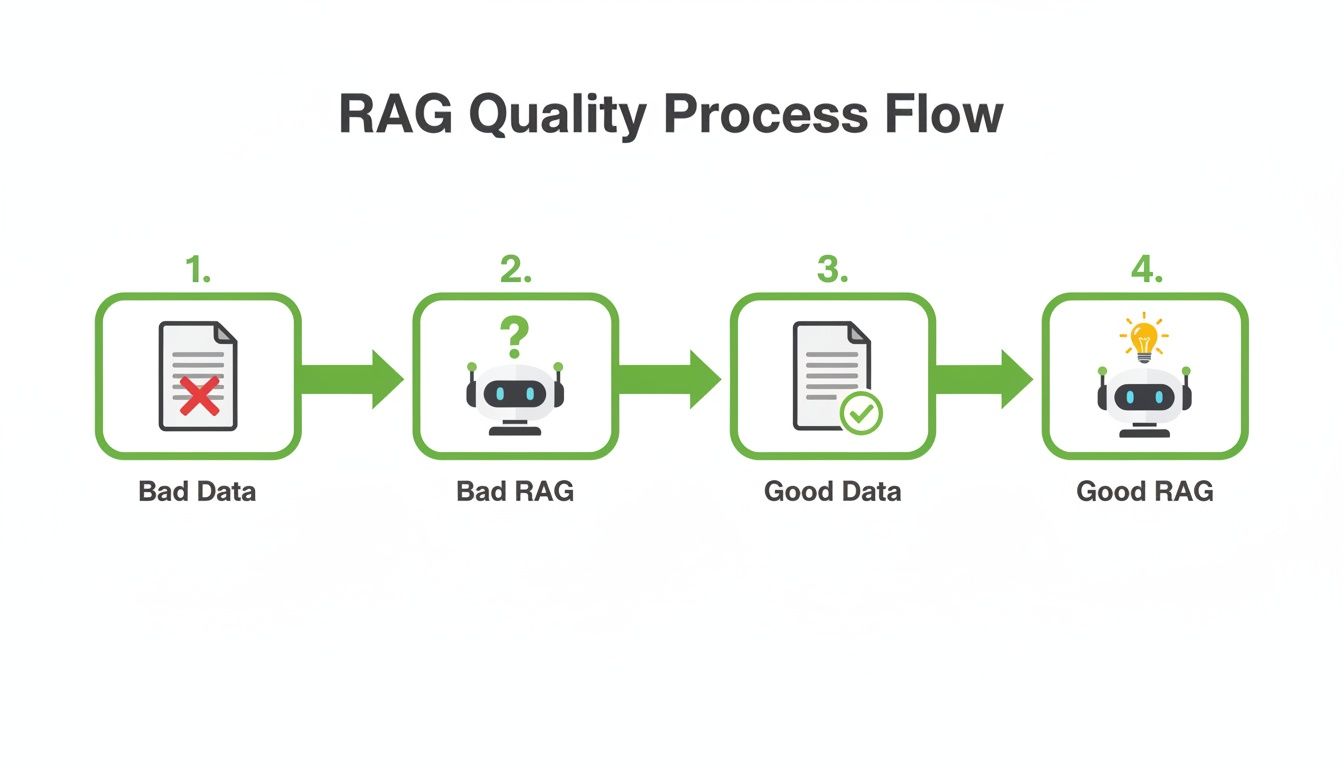
As the diagram shows, the quality of your RAG system's answers is a direct reflection of the data you feed it. Clean, well-structured data leads to intelligent, reliable responses. Garbage in, garbage out.
Choosing Your Infrastructure Stack
We know the stages, but where does this pipeline run? Your infrastructure choice depends on scale, budget, and desired control. There are generally three paths.
- Serverless Functions (e.g., AWS Lambda, Google Cloud Functions): A fantastic, modern approach for event-driven pipelines. A new file landing in an S3 bucket can trigger a chain of functions, each handling a processing stage. It's cost-effective but can become complex to orchestrate.
- Containerized Services (e.g., Docker, Kubernetes): Containers offer maximum control and portability. You can package each pipeline stage into its own container and manage the workflow with Kubernetes. This is the go-to for complex, high-volume workloads but has a steeper learning curve.
- Managed Platforms: Services like ChunkForge or workflow orchestrators like Airflow or Prefect offer a higher-level, abstracted way to build. They handle the infrastructure details, letting you focus on the processing logic and speed up development.
My advice? Start simple. For most projects, a serverless architecture hits the sweet spot between scalability and cost. You can always level up to a more robust container-based system if needed. The key is to design your processing logic to be modular from day one.
Smart Chunking: The Key to Context-Aware Retrieval
How you break down documents—a process called chunking—is one of the most critical decisions you'll make for your retrieval system. It’s not just about splitting text; it's about preserving semantic meaning to ensure that what gets retrieved is coherent and useful.
Get this part wrong, and your RAG system will pull up irrelevant snippets, leading to weak or nonsensical answers. Get it right, and you'll feed your LLM perfectly sized, context-rich pieces of information every time.
Think of it this way: if you tear a book into random scraps of paper, the story is lost. But if you carefully separate it by paragraphs or chapters, the narrative holds together. The goal is to create chunks that are small enough for efficient embedding but large enough to contain a complete, coherent thought. This balance is fundamental to high-quality retrieval.
A one-size-fits-all chunking strategy doesn't exist; it must be adapted to the structure of your source documents. A strategy for dense technical manuals will differ from one for conversational support logs.
Foundational Chunking Methods
Let's start with the most common approaches. Understanding the trade-off between simplicity and context preservation is key to improving retrieval.
-
Fixed-Size Chunking: The brute-force method. You split text into chunks of a set length (e.g., 500 characters) with an overlap (e.g., 50 characters) to mitigate splitting a single idea. It’s fast and simple, but its disregard for document structure often cuts sentences in half, destroying the context needed for good retrieval.
-
Paragraph or Sentence Splitting: A significant improvement. This method uses natural linguistic boundaries—like paragraphs or sentences—to create chunks. It respects the author's original structure, so each chunk is more likely to contain a complete thought. For most documents like articles or reports, paragraph splitting is a fantastic default choice for preserving context without adding complexity.
The choice between chunking methods is a direct trade-off between speed and semantic integrity. While fixed-size is simple, it risks destroying context. Methods that respect natural document boundaries, like paragraphs or headings, consistently yield better retrieval results for RAG systems.
Advanced Strategies for Precision Retrieval
For highly structured documents like legal agreements or technical guides, basic methods are insufficient. This is where content-aware techniques become essential for unlocking high-quality retrieval. A generic chunking strategy would miss the critical structural information in a legal contract's clauses or a product manual's sections.
-
Heading-Based Chunking: For documents with a clear hierarchy (technical docs, legal papers), use headings (H1, H2, H3) as anchors. Each chunk can correspond to a specific section, grouping related content under a meaningful title. This provides excellent context, ensuring what gets retrieved is a self-contained section, not just a random paragraph.
-
Semantic Chunking: The most sophisticated approach. Instead of relying on length or formatting, semantic chunking uses NLP models to group text based on its actual meaning. The algorithm analyzes relationships between sentences and creates breaks only when the topic shifts. This results in thematically cohesive chunks that maximize retrieval relevance. To learn more, check out our guide to understanding semantic chunking.
Choosing the Right Strategy for Your Use Case
The key is to match the chunking strategy to your document type to optimize retrieval. This table compares common methods to help you choose the right approach.
Comparison of Document Chunking Strategies
| Strategy | Complexity | Context Preservation | Best For |
|---|---|---|---|
| Fixed-Size | Low | Low | Uniform, unstructured text; quick prototyping. |
| Paragraph/Sentence | Low | Medium | Articles, reports, emails, and most standard prose-based documents. |
| Heading-Based | Medium | High | Technical manuals, legal documents, academic papers, textbooks. |
| Semantic Chunking | High | Very High | Complex documents with shifting topics; maximizing retrieval relevance. |
Ultimately, experimentation is key. Start with paragraph splitting. If retrieval quality isn't hitting the mark, upgrade to a heading-based or semantic approach. By being thoughtful here, you directly control the quality of information your RAG system has access to, paving the way for more accurate answers.
Supercharging Retrieval with Metadata Enrichment
Embedding raw text alone is a missed opportunity for precision retrieval. While semantic search is powerful, it often isn't enough to get the exact context your RAG system needs. This is where metadata enrichment becomes your secret weapon. It’s the process of attaching structured, descriptive data to each text chunk before it hits your vector database.
Think of it like this: a vector embedding tells you what a chunk is about, but metadata tells you everything else—where it came from, its creation date, and its structural role. By combining these, you unlock advanced retrieval that goes beyond simple similarity search. You can run powerful, filtered queries that dramatically improve both the speed and accuracy of retrieval.
Designing Your Metadata Schema for Retrieval
Before you start extracting data, you need a plan. A well-designed metadata schema is the blueprint for the context you want to capture. The goal is to define a consistent set of fields for every chunk, which makes your data predictable and easy to query for retrieval.
Start by anticipating the questions your users will ask. What filters would help them zero in on the exact information they need?
Here are some of the most crucial metadata fields for enhancing retrieval:
- Source Information:
document_id,file_name,source_url. These are non-negotiable for traceability and filtering by source. - Temporal Data:
creation_date,last_modified_date. Perfect for filtering results by time frame (e.g., "find reports from the last quarter"). - Structural Context:
page_number,section_title,heading_level. Incredibly useful for pinpointing a chunk's location and context within a document. - Ownership and Categorization:
author,department,document_type(e.g., "Invoice," "Contract," "Manual"). Allows for highly specific, role-based queries.
Your metadata schema is the foundation for advanced retrieval. Keep it simple but comprehensive. Every field you add is another lever you can pull to refine search and deliver more relevant context to your LLM.
Building an Automated Enrichment Workflow
Once your schema is defined, build a workflow to automatically populate these fields. This should be a seamless step in your pipeline, running right after chunking.
Top enterprises know that document processing automation is a competitive advantage. Over 65% of Fortune 500 companies use it, and 71% of financial firms are on board. They’re chasing real operational gains—Intelligent Document Processing (IDP) delivers 4x faster processing than manual methods, and 60% of enterprises cite compliance as a key driver.
How can you automate this for your own pipeline? You have a few options.
Techniques for Automated Metadata Generation
- Direct Extraction: The low-hanging fruit. Pull information that’s already there—file names, creation dates, and author details stored in the document's properties or file system.
- Rule-Based Extraction: For structured documents, use regular expressions (regex) or parsing logic to find patterns like invoice numbers, dates from headers, or specific clause titles.
- Model-Based Generation: Use smaller, faster language models or specialized NLP models to generate new metadata on the fly. For example, create a concise summary of each chunk, extract relevant keywords, or run entity recognition to tag people, places, and organizations.
This generated metadata can also build connections between documents, a key step towards creating a knowledge graph. By mapping these relationships, as explored in our article on how a knowledge graph can power advanced AI systems, you empower your RAG system to not just find information but also understand its place within your entire knowledge base, enabling more complex, multi-hop queries.
When you enrich your data with this deep, structured context, you transform your vector database from a simple collection of text into an intelligent and highly queryable knowledge hub.
Building Your Quality Assurance and Ingestion Workflow
You've designed your architecture, chosen a chunking strategy, and enriched your documents with metadata. Before this data can fuel your RAG application, there’s one last checkpoint: your Quality Assurance (QA) and ingestion workflow. This is the final inspection that validates your work and ensures only high-quality assets make it into your vector database, directly impacting retrieval performance.
Skipping this stage is a recipe for disaster. You risk sending flawed or contextually broken data downstream, which inevitably leads to poor retrieval and inaccurate answers. A solid QA process is your last line of defense against the "garbage in, garbage out" problem.
The goal isn't just to find errors, but to understand why they happened. These issues often surface from subtle flaws in earlier stages—an OCR model misreading a table, a chunking strategy splitting a key sentence, or a metadata extractor failing on a specific format.
Establishing a Practical QA Process
You don't need to manually review every single chunk. The key is to build a smart sampling and review system that provides confidence in your pipeline's output while creating a tight feedback loop to refine your processing logic.
Here are a few practical ways to set up a QA workflow that improves retrieval quality:
- Random Sampling: For high-volume pipelines, randomly pull a small percentage (e.g., 1-2%) of processed documents. Spot-check the chunks and their metadata for obvious errors like garbled text, missed sections, or incorrect titles.
- Confidence Score Thresholds: Many document intelligence tools output a confidence score for extracted text. Use this to automatically flag any chunk with a score below a certain threshold (e.g., 95%) for human review. This focuses your attention where it's needed most.
- Visual Preview Tools: An interface that maps a processed chunk back to its location in the original document is a game-changer. Tools like ChunkForge offer this, letting a reviewer instantly see the source context and spot a bad split without hunting through a 100-page PDF.
A robust QA workflow isn't about achieving perfection on day one. It’s about creating a system for continuous improvement. The insights you gain are exactly what you need to fine-tune your chunking, cleaning, and enrichment rules over time for better retrieval outcomes.
Ingesting Validated Data into Your Vector Database
Once a batch of data passes your checks, it's time for ingestion. This final step loads your text chunks, their vector embeddings, and all that rich metadata into a vector database like Pinecone, Weaviate, or Chroma.
A messy ingestion workflow can lead to duplicate data or indexing errors. Be methodical and plan for how you'll update or remove data in the future.
Best Practices for Efficient Ingestion
To ensure your data loads correctly and remains manageable for retrieval, stick to these best practices:
- Use Batching for Ingestion: Never send chunks one by one. Group them into batches before making API calls to your vector database to reduce network overhead and improve speed.
- Assign Unique and Consistent IDs: Every chunk needs a unique, deterministic identifier you control (e.g.,
invoice-abc_chunk-003). This makes it trivial to update or delete a specific chunk later without ambiguity. - Verify Metadata Indexing: Before querying, double-check that your vector database has correctly indexed your metadata fields. This is critical for enabling the powerful filtered searches you designed your schema for. Most databases require you to define this schema upfront for fast retrieval.
By implementing this final QA and ingestion workflow, you guarantee your RAG system is built on a foundation of clean, validated, and contextually rich data—the cornerstone of high-quality retrieval.
Monitoring and Optimizing Your Pipeline for Peak Retrieval
Flipping the switch on your document processing pipeline isn't the finish line—it's the starting line. Treating it as a "set it and forget it" system is a recipe for degrading retrieval performance over time. To get long-term value, you must commit to continuous monitoring and optimization. Without it, you're flying blind, unable to spot performance issues, creeping costs, or silent failures that will poison your RAG system's accuracy.
<iframe width="100%" style="aspect-ratio: 16 / 9;" src="https://www.youtube.com/embed/xWwG8gka1Eg" frameborder="0" allow="autoplay; encrypted-media" allowfullscreen></iframe>Think of it like maintaining a high-performance engine. You need a dashboard with the right gauges to understand its health. This isn’t just about system uptime; it’s about tracking the specific metrics that directly impact the quality of the data you're feeding your retrieval system.
What to Watch: Key Pipeline Health Metrics
To understand how your system is performing, track a few critical metrics. These numbers reveal your pipeline's efficiency, cost, and reliability, providing the hard data needed to make smart optimization choices that directly benefit retrieval.
Here’s what to monitor:
- Processing Time Per Document: How long does a document take to get from upload to the vector database? A sudden spike indicates a bottleneck—perhaps a lagging OCR service or an inefficient enrichment step.
- Stage-Specific Error Rates: What percentage of documents fail at extraction, chunking, or embedding? Pinpointing where things are breaking is half the battle. High error rates in a specific step point you directly to the root cause.
- API Costs and Token Usage: If you use external models for embeddings or metadata generation, you must track API costs. Monitoring token consumption per document helps forecast spending and flags unusually large or complex files that are driving up your bill.
Getting Ahead of Problems with Proactive Monitoring
Waiting for a user to complain about a bad search result is too late. The goal is to catch issues before they impact retrieval quality, which starts with basic logging and alerting. Set up alerts that fire when a key metric goes outside a healthy range.
Your monitoring strategy should boil down to one principle: detect, diagnose, and fix before the end-user ever notices a problem. A healthy pipeline is a silent one, consistently delivering high-quality data without any drama.
For example, set an alert if the PDF parsing error rate climbs above 2% in an hour, or if the average embedding cost per document jumps by 15%. These alerts are your early warning system, letting you investigate and fix a faulty parser or an inefficient chunking strategy before it pollutes your knowledge base.
Effective document processing automation is built on this feedback loop. By keeping a close eye on performance and cost, you can continuously fine-tune every part of your pipeline—from adjusting ingestion batch sizes to swapping in more cost-effective embedding models—and ensure your RAG system's retrieval stays accurate, efficient, and affordable over the long haul.
Common Questions and Sticking Points
Engineers and data scientists often hit the same roadblocks when building document processing pipelines for RAG. Let's tackle the most common ones.
How Do I Handle Complex PDFs with Tables and Images?
This is a classic problem that cripples retrieval if handled poorly. Standard text extraction tools fail on PDFs with tables, charts, and images. For these, you need specialized tools.
Services like Unstructured.io, LlamaParse, or the document intelligence APIs from AWS, Google, and Azure are designed for this. They can intelligently parse tables into a structured format (like Markdown or JSON), identify headers, and even generate descriptions for images. This process converts locked-away information into clean text and metadata before chunking and embedding, ensuring it becomes a retrievable asset.
What Is the Biggest Mistake to Avoid?
The single biggest mistake is rushing the document processing automation stage. Teams often get fixated on the LLM or retrieval algorithm while feeding it poorly processed data. This is the root cause of inaccurate, hallucinatory, or unhelpful RAG outputs.
Take this to heart: Pouring time and effort into a robust cleaning, chunking, and metadata enrichment strategy is the single most impactful thing you can do for your RAG system's retrieval performance. Your model is only as good as the data it can find and understand.
How Do I Choose the Right Vector Database?
The "best" vector database depends on your project's scale, budget, and specific retrieval needs. There’s no one-size-fits-all answer.
Here’s a practical breakdown:
- For smaller projects or local development: Start simple. Embedded databases like Chroma or FAISS are lightweight and easy to get started with.
- For production systems that need to scale: Look at managed services. Options like Pinecone, Weaviate, or Zilliz are built for high performance, offering advanced filtering, real-time indexing, and high availability.
When evaluating them, pay close attention to their metadata filtering capabilities. Strong metadata support is non-negotiable. It's what allows you to use the rich context you created in your pipeline, which is the key to unlocking precise retrieval and moving beyond simple vector similarity search.
Ready to build a better RAG pipeline? ChunkForge is a contextual document studio that transforms your files into RAG-ready chunks with powerful enrichment tools and a real-time visual preview. Start your free trial at https://chunkforge.com.