
A Deep Dive Into The Term Query Elasticsearch for RAG
Build precise RAG systems with our guide to the term query elasticsearch. Learn exact-match filtering, performance tuning, and advanced strategies.

When you need to find an exact, unaltered value in Elasticsearch for your Retrieval Augmented Generation (RAG) system, the term query is your go-to tool. It’s designed for one thing: precision. It finds documents by searching for the exact term you provide in the inverted index, completely sidestepping the analysis process. This makes it perfect for structured data like IDs, tags, or status codes where you need a perfect match to ground your language model in facts.
The Power Of Precision In Modern RAG Systems

In complex systems like Retrieval Augmented Generation (RAG), precision isn't just a nice-to-have—it’s the foundation of reliability and factual accuracy. While broad, full-text searches are great for exploring general topics, RAG systems need to ground language models in specific, factual contexts. This is where the term query truly shines as an actionable tool for improving retrieval.
Think of it like this: a match query is a master key. It goes through the analyzer, getting filed down to open several related locks (documents). The term query, on the other hand, is a unique key cut for a single, specific lock. It finds documents containing one exact, non-negotiable value, ensuring the context you retrieve is precisely what the LLM needs.
Why Exact Matches Matter For RAG
The quality of a RAG system’s output is directly tied to the quality of the context it retrieves. If you feed a language model ambiguous or loosely related information, you’ll get generic, or even wrong, answers. The term query acts as a powerful gatekeeper, preventing this by ensuring the foundational data is spot-on.
This level of precision is critical for several key retrieval tasks:
- Verifying Data Sources: Filtering documents by an exact
author_idorsource_nameguarantees the context comes from a trusted, authoritative origin. - Enforcing Access Control: You can ensure that retrieved content is limited to a specific
user_grouporaccess_level, which is critical for multi-tenant RAG applications. - Categorical Filtering: It allows you to instantly narrow down a massive knowledge base to just the documents with a specific
status: "published"orcategory: "technical_manual".
By bypassing text analysis, the term query makes sure that "published" matches only "published"—not "publish" or "Publishing." This strict, literal matching is the bedrock of building high-fidelity retrieval pipelines. If you're building these systems, you'll find more on this in our overview of Retrieval Augmented Generation.
The
termquery has been a cornerstone of Elasticsearch since its earliest days, enabling the kind of precise matching that applications demand for keywords and IDs. As Elasticsearch grew into a top 10 database system by 2025, optimizing this fundamental query became crucial for supporting the high-volume data filtering that modern applications depend on.
Before we get into the nuts and bolts, let's quickly summarize what the term query is all about.
Term Query At a Glance
The table below offers a snapshot of the term query's core characteristics and where it fits best in a RAG pipeline.
| Characteristic | Description | Actionable RAG Use Case |
|---|---|---|
| Matching Behavior | Finds documents containing the exact, unanalyzed term. | Filtering chunks by a unique document_id. |
| Best For | Structured data like IDs, tags, status codes, or enums. | Retrieving all text chunks with the tag security-patch. |
| Key Benefit | High performance and accuracy for binary (yes/no) filtering. | Identifying all knowledge base articles marked as is_active: true. |
This gives you a clear idea of its role: it’s the specialist, not the generalist, in your retrieval toolkit.
How Field Mapping and Analysis Shape Your Query
To get the term query to work for you, you first have to understand how Elasticsearch sees your data. Forget thinking of it as a simple database. It’s more like a super-organized library where every piece of information is processed and cataloged before it ever hits the shelf.
This process is called analysis, and it’s all governed by your index mapping. When you index a document, Elasticsearch analyzes its fields and stores the results in an inverted index—the structure that makes your searches lightning-fast. The term query searches this index, not your original document. This is the single most important concept to grasp for effective RAG retrieval, and it's where most developers trip up.
The Critical Difference Between Text and Keyword
In the world of Elasticsearch, the two most common ways to handle strings are with the text and keyword data types. Choosing the right one is everything for RAG, because picking the wrong one will cause your term queries to silently fail, leading to poor or empty context for your LLM.
textfields: These are built for full-text search, the kind you’d use for the main content of your documents. The analyzer breaks the string down into individual words (tokens), converts them to lowercase, and often strips out punctuation. So, a string like "High-Performance GPU" becomes three separate, lowercase tokens:high,performance, andgpu.keywordfields: These are for exact-value, structured data like SKUs, tags, or status codes. They are not analyzed. The entire input string is stored as a single, untouched token. "High-Performance GPU" is indexed exactly as is, preserving the case, the hyphen, and all.
This is why the term query is a perfect match for keyword fields but almost always the wrong tool for text fields. You have to know what the analyzer produced, otherwise you're just searching in the dark. For anyone building a robust RAG pipeline, these initial data prep steps are foundational. To go deeper, it's worth exploring what is data parsing and how it sets the stage for effective indexing.
A Practical Example: Mappings and Queries
Let's make this real with a products index. We want to store product names, which people will search flexibly, and unique SKUs, which need to be filtered precisely. A solid mapping would treat the name as text and the SKU as a keyword.
First, let's set up our index mapping:
PUT /products
{
"mappings": {
"properties": {
"product_name": {
"type": "text",
"fields": {
"raw": {
"type": "keyword"
}
}
},
"sku": {
"type": "keyword"
}
}
}
}
Notice what we did there. The product_name is a text field, but we also added a product_name.raw multi-field. This handy trick stores the original, unanalyzed version as a keyword right alongside the analyzed tokens.
Now, let's index a product:
POST /products/_doc/1
{
"product_name": "High-Performance GPU",
"sku": "GPU-XT-4090"
}
Behind the scenes, Elasticsearch now holds two versions of the name: product_name contains ['high', 'performance', 'gpu'] and product_name.raw contains ["High-Performance GPU"]. The sku field just contains one token: ["GPU-XT-4090"].
The most common mistake with the
termquery is using it on atextfield to find a multi-word string. The query will fail because the single, composite token you're searching for simply doesn't exist in the inverted index for that field.
With our data indexed, querying for the exact SKU works perfectly:
GET /products/_search
{
"query": {
"term": {
"sku": "GPU-XT-4090"
}
}
}
This is a direct hit because "GPU-XT-4090" is an exact match for the single token stored in the sku field. But watch what happens when we try the same thing on the product_name field:
GET /products/_search
{
"query": {
"term": {
"product_name": "High-Performance GPU"
}
}
}
This returns zero results. Why? Because there is no single token "High-Performance GPU" in that field's inverted index—only the individual, lowercased parts. To find this document using an exact-match query, you'd have to search the product_name.raw field instead. This mental model—querying what’s actually in the index, not what you originally sent—is the key to unlocking precise, powerful search for RAG.
Choosing The Right Tool Term vs Match vs Terms
Picking the right query in Elasticsearch feels a lot like choosing between a scalpel, a kitchen knife, and a set of specialized blades. Each one is made for a different job. Using the wrong one? You'll get messy, inaccurate results. The term, match, and terms queries are the absolute basics, and knowing exactly what each one does is a must for building a solid retrieval strategy.
For RAG systems, this choice directly impacts the quality of the context you retrieve. A match query is your go-to for understanding a user's natural language question. But a term query is what you need for applying strict, non-negotiable filters. Nailing this means your AI gets both relevance and accuracy.
The decision often boils down to one simple question: do you need an exact match? This little decision tree shows how your mapping choice points you to the right query.
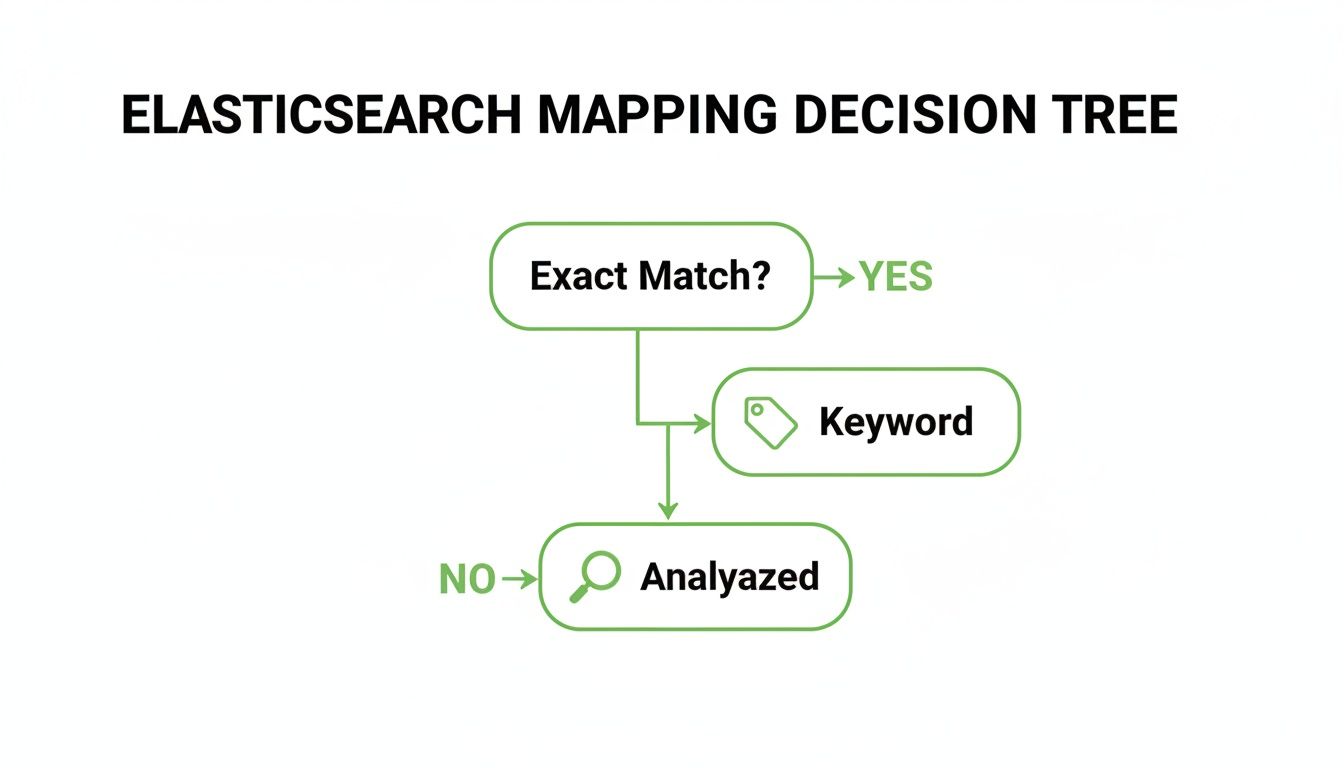
As you can see, if you need a perfect match, the keyword data type is the way to go, which means you'll be using the term query for precise filtering.
Term vs Match The Precision Instrument vs The Interpreter
The most fundamental split is between term and match. Think of the term query as the scalpel; it searches for the exact, unanalyzed token you give it. It’s what you use to find a product by a specific SKU like ABC-123 on a keyword field. It doesn't bend. It expects a perfect match.
A match query, on the other hand, is the interpreter. It takes your search input and runs it through the same analyzer used on the target text field. So if a user searches for "high performance GPUs," the match query breaks that down into ['high', 'performance', 'gpus'] and looks for documents that have any of those words. It’s built for understanding what a user actually means in a full-text search.
In a RAG workflow, you can combine these strengths. Use a
matchquery for the initial semantic search to find relevant content, then apply atermquery filter to ensure the retrieved chunks come only from a specific, trusted document source likesource_id: "doc-xyz-789".
This layered approach gives you the best of both worlds: broad relevance sharpened by absolute precision.
Term vs Terms The Singular Filter vs The Bulk Operation
While term is busy handling one exact value, the terms query (with an 's') is its more powerful sibling, built to match against a whole list of exact values. It’s basically an "OR" operation for exact matches. Instead of stringing a bunch of term queries together in a messy bool structure, you can just pass it a simple array of values.
This is a lifesaver in RAG for filtering context against a known set of IDs. For example, if you only want to retrieve documents written by a specific team, you can use a terms query to match a list of approved author_id values in one clean, efficient shot. The terms query is optimized for exactly this job, making it far more readable and performant than the alternatives.
A Comparative Breakdown
To really nail down these differences, let's put them side-by-side. The right choice always comes back to your goal, the data type of the field you're searching, and how you need to constrain your RAG system's knowledge base.
Query Comparison Term vs Match vs Terms
This table offers a detailed breakdown of the key operational differences between term, match, and terms queries in Elasticsearch.
| Query Type | Analysis Applied | Use Case | Value Input | RAG Application |
|---|---|---|---|---|
term | None | Finding a single exact value. | A single string or number. | Filtering context by one specific tag, like status: "published". |
match | Yes (on text fields) | Full-text search and relevance scoring. | A user's search string. | Interpreting a user's question to find semantically related documents. |
terms | None | Finding multiple exact values. | An array of strings or numbers. | Restricting retrieval to a list of trusted document_ids. |
By mastering this trio, you gain fine-grained control over your retrieval pipeline. You can build sophisticated hybrid search strategies that start broad with a match query and then apply layers of precise term and terms filters. This ensures the context fed to your language model is not just relevant, but also verified and accurate.
Implementing Precise Filters In Your RAG Pipeline

Alright, we've covered the theory. Now it’s time to get our hands dirty and see how the term query works in a real Retrieval-Augmented Generation (RAG) pipeline. This is where its laser-like precision becomes an indispensable tool for grounding your AI in verifiable facts. We’ll walk through examples using both the raw Query DSL and the popular elasticsearch-py client.
The goal here isn't just a simple lookup. We're building a hybrid search strategy that blends the broad, semantic reach of vector search with the strict, logical precision of a term filter. This combination ensures the context fed to your LLM is not only relevant but also accurate and locked down to the right sources.
Starting With a Basic DSL Query
At its core, a term query is a straightforward request: find documents with this exact value. It's that simple. Imagine you have a knowledge base of internal documents, and you need to pull up a specific chunk using its unique ID. This is a perfect job for a term query, since an ID field like document_id would almost certainly be mapped as a keyword.
The Query DSL is as clean as it gets:
GET /knowledge_base/_search { "query": { "term": { "document_id.keyword": "kb-doc-789123-v2" } } }
This query is incredibly fast. It’s not trying to figure out relevance or score results; it’s just doing a quick lookup in the inverted index for the exact token "kb-doc-789123-v2". It's a simple "yes" or "no" match.
Elevating RAG With Hybrid Filtering
This is where the term query really shines in a RAG pipeline—when you use it as a non-scoring filter. The best practice is to place it inside the filter clause of a bool query. This tells Elasticsearch to slash the search space before it even starts calculating relevance scores, giving you a huge performance boost by leveraging filter caching.
Let’s build a more sophisticated hybrid search. We'll perform a semantic search for "quarterly financial performance" but—and this is the important part—we’ll restrict the results to documents from a single source: "finance-reports-2024".
GET /knowledge_base/_search { "query": { "bool": { "must": [ { "match": { "content": "quarterly financial performance" } } ], "filter": [ { "term": { "source_id.keyword": "finance-reports-2024" } } ] } } }
See the structure? The match query finds all the thematically relevant documents, but the term query in the filter clause acts as an unyielding gatekeeper. A document could be the perfect semantic match, but if it doesn't come from the specified source, it's instantly thrown out.
By combining semantic search with a precise
termquery filter, you create a retrieval system that is both intelligent and trustworthy. The vector search finds the what, and the term filter guarantees the where.
Implementing With The Python Client
In any real application, you'll be using a client library. Here’s how you’d build that same hybrid query with elasticsearch-py, making it easy to plug into your Python-based RAG pipeline. Getting these details right is a core part of a broader strategy for RAG pipeline optimization.
from elasticsearch import Elasticsearch
Assume 'es' is an initialized Elasticsearch client
es = Elasticsearch()
Define the body for our hybrid search
search_body = { "query": { "bool": { "must": [ # The semantic part: find relevant content { "match": { "content": "quarterly financial performance" } } ], "filter": [ # The strict part: only from this source { "term": { "source_id.keyword": "finance-reports-2024" } } ] } } }
Execute the search against our knowledge base index
response = es.search(index="knowledge_base", body=search_body)
Process the filtered, relevant results
for hit in response['hits']['hits']: print(hit['_source'])
This hybrid approach is the cornerstone of building RAG systems you can trust. It gives you the power to ground your generative models in a precise, verified context, which directly boosts the factual accuracy and reliability of their output.
Advanced Strategies For Performance And Scale
<iframe width="100%" style="aspect-ratio: 16 / 9;" src="https://www.youtube.com/embed/EbzH0Kg4OZs" frameborder="0" allow="autoplay; encrypted-media" allowfullscreen></iframe>Knowing the basics of the term query is one thing, but building a RAG system that can handle real-world demand is another challenge entirely. When you’re building for the enterprise, performance and scale aren't just nice-to-haves; they’re fundamental design requirements. The key is to work with Elasticsearch's architecture, not against it. That means leaning into its powerful caching mechanisms and smarter field mappings.
The Filter Context: Your Biggest Performance Win
The single most impactful optimization you can make is placing your term query inside a filter context. This simple move is a game-changer for RAG retrieval. It shifts the query from a relevance-scoring operation—which asks "how well does this match?"—to a pure, non-scoring filter that simply asks "does this match, yes or no?"
Why does this matter so much? Because it unlocks Elasticsearch’s filter cache.
When a query runs in a filter context, Elasticsearch can cache the list of matching document IDs. The next time the exact same filter comes along, it can reuse that result set almost instantly. It completely bypasses the expensive work of searching the inverted index again. For common filters like status: "published" or department: "legal", the speed boost is dramatic.
Handling Practical Challenges With Advanced Mappings
Real-world data is messy. A classic problem is case sensitivity. A standard term query on a keyword field is strictly case-sensitive, so a search for "admin" won't find documents tagged with "Admin". You could try to clean this up in your application code, but the truly efficient way is to handle it at index time with a normalizer.
Think of a normalizer as a lightweight analyzer designed specifically for keyword fields. It lets you apply simple token filters—like lowercase—before the keyword gets stored.
Here’s how you’d set one up in your mapping:
PUT my-index { "settings": { "analysis": { "normalizer": { "case_insensitive_normalizer": { "type": "custom", "filter": ["lowercase", "asciifolding"] } } } }, "mappings": { "properties": { "user_role": { "type": "keyword", "normalizer": "case_insensitive_normalizer" } } } }
Now, whether the source document has "Admin" or "admin", it gets indexed as the token admin. A term query for "user_role": "admin" will now find all the right documents, regardless of their original casing, without sacrificing the raw speed of an exact-match query.
Querying Complex Data Structures
Modern RAG systems often deal with structured and semi-structured data nested inside documents. The term query can be combined with more advanced field types to navigate this complexity with surgical precision.
- Nested Fields: Got an array of objects, like a list of authors where you need to connect each author's name to their specific affiliation? The
nestedtype is your answer. Atermquery inside anestedquery lets you filter based on an exact property within a single object in that array, preserving the relationship between its fields. - Runtime Fields: What if you need to filter on a value that isn't stored in your index but can be calculated on the fly? Runtime fields let you define a script that generates a value at query time. You can then use a
termquery to filter documents based on that script's output, giving you incredible flexibility without having to reindex all your data.
By 2025, Elastic's platform, powered by queries like the
termquery, earned top Forrester Wave scores in eight criteria including Relevancy, Scale & Efficiency, and Real-time Structured/Unstructured/Vector Data Search. This recognition reflects how aterm query elasticsearchimplementation anchors reranking models for AI accuracy, a crucial capability for modern RAG systems. You can read more about Elasticsearch's cognitive search leadership on marketchameleon.com.
These advanced patterns elevate the term query from a simple lookup tool to a strategic weapon for building highly efficient, scalable, and accurate retrieval systems. By mastering filter caching, normalizers, and specialized field types, you can ensure your system is ready to meet the tough performance demands of any production environment.
Common Questions About The Term Query
Even after you get the hang of it, the term query can throw a few curveballs. It’s built for precision, but that precision can sometimes lead to head-scratching moments when it doesn't behave as you'd expect.
Let's walk through the most common roadblocks developers hit. We'll get straight to the point, helping you debug issues faster and really master how term queries work in your RAG pipeline.
Why Is My Term Query Not Finding Any Documents?
This is, without a doubt, the number one issue. The answer almost always boils down to a mismatch between what you're searching for and what’s actually in the inverted index.
A term query is looking for an exact token. If that token doesn’t exist, you get nothing back. The most common culprit is trying to run a term query against a text field with a multi-word string. For instance, if you index the phrase "User Guide" into a standard text field, the analyzer splits it into two lowercase tokens: user and guide.
A term query searching for the exact phrase "User Guide" will come up empty. Why? Because the single token "User Guide" simply doesn't exist in the index.
- The Actionable Solution: When you need exact-match filtering, always map your field as
keyword. This tells Elasticsearch to store the entire string "User Guide" as a single, untouched token. Yourtermquery will then find it perfectly.
Is The Term Query Case-Sensitive?
Yes, it is. By default, the term query is strictly case-sensitive, performing a byte-for-byte comparison against the indexed token.
This means a query for status: "published" won't find a document where the value is status: "Published". This isn't a bug; it's a feature that guarantees precision. But what if you need case-insensitivity? The right way to solve this isn't in your application code—it's at index time with a normalizer.
A normalizer is like a lightweight analyzer specifically for
keywordfields. You can use it to apply token filters, likelowercase, before the data is indexed. This way, both "Published" and "published" get stored as the same token:published. A lowercasetermquery can then match both, giving you case-insensitivity without sacrificing the performance of an exact-match filter.
When Should I Use A Term Query In A Filter vs. A Must Clause?
For the kind of binary, yes-or-no filtering that term queries excel at in RAG systems, the answer is simple: it always belongs inside the filter clause of a bool query.
There are two massive reasons for this:
- Performance: The
filtercontext is non-scoring. Elasticsearch knows it doesn’t need to waste time calculating a relevance score for these queries. It’s a simple include-or-exclude operation, which is much, much faster. - Caching: Elasticsearch is incredibly smart about caching the results of filter clauses. If the same
termfilter is used again and again (likesource_id: "doc-abc-123"), the results can be pulled from the cache almost instantly. This provides a huge speed boost for high-traffic APIs.
Save the must clause for when a match should actually contribute to the document's relevance score. This is the natural home for full-text queries like match, not the absolute filtering job of a term query.
How Can I Search For Multiple Exact Values At Once?
You might be tempted to string together a bunch of term queries inside a bool query with a should clause. Don't do it. It's clunky, inefficient, and a pain to read.
The right tool for this job is the terms query (with an 's').
The terms query is purpose-built to match a field against an array of possible exact values. Think of it as a highly optimized "OR" condition for your keyword fields. In a RAG context, this is perfect for restricting a search to a list of pre-approved document IDs or trusted authors.
For example, to find documents from a specific set of verified sources, you just pass an array of IDs:
{ "query": { "terms": { "source_id.keyword": [ "src-123", "src-456", "src-789" ] } } }
This query isn't just cleaner and more readable; it also performs better than the boolean alternative. It’s the standard best practice for multi-value exact matching. This kind of reliability in exact-match filtering is a core reason for Elasticsearch's dominance in the enterprise search market. Elastic's term query mechanism has underpinned its statistical success, helping it capture between 19.62% and 19.80% market share while serving over 14,694 firms globally. To explore these figures further, you can find more insights on enterprise search market trends at datanyze.com.
Ready to build retrieval-friendly assets for your RAG pipeline? ChunkForge is a contextual document studio that transforms your PDFs and documents into precisely chunked, metadata-rich content. Go from raw files to production-ready chunks with full traceability and control. Start your free trial at https://chunkforge.com.